Modern CRM systems are only as strong as the data that powers them. For high-growth companies using HubSpot, data decay, duplication, and messy ownership can lead to a cluttered sales pipeline and lost revenue. That’s where Clay HubSpot integration comes in, combining Clay’s flexible enrichment workflows with HubSpot’s robust CRM capabilities. This guide shows you how to build and maintain an “Evergreen CRM” that automates enrichment, preserves sales data, and keeps your pipeline fresh.
From enrichment waterfall design to refresh logic and dedupe strategies, we’ll walk through every step of a scalable integration.
Integration Architecture Overview
Clay, HubSpot, and optional sequencers
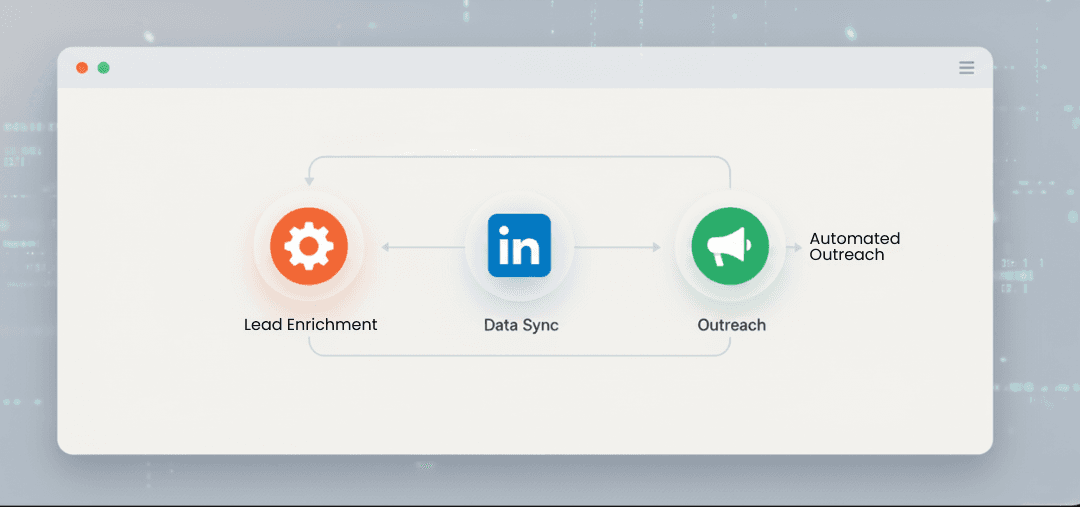
At its core, Clay acts as the enrichment and data orchestration layer, while HubSpot serves as your CRM of record. Many teams also layer in sequencers like Smartlead for outbound activity. The architecture typically flows like this:
Clay pulls raw contact data from multiple sources (e.g., LinkedIn, Apollo, internal lists).
Contacts are enriched through a custom waterfall, verified, deduped, and assigned an owner.
Cleaned data is synced into HubSpot for sales or marketing engagement.
Sequencers pull from HubSpot and log activity back in.
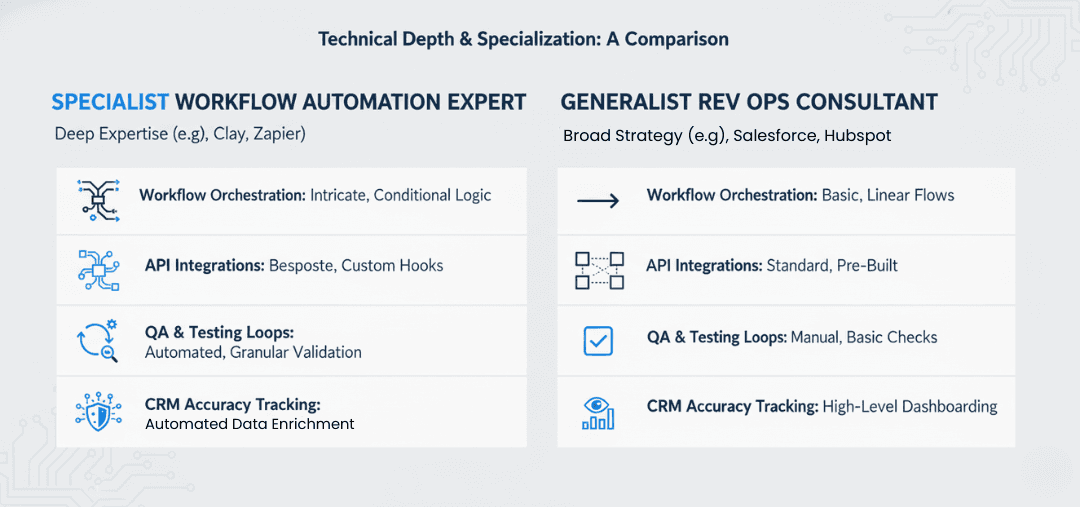
This creates a loop that refreshes contacts over time and supports continuous enrichment. It’s a setup best handled by a clay workflow expert during the orchestration phase.
Core sync flow and touchpoints
The integration touches key HubSpot objects such as:
Contacts
Companies
Owners
Custom fields for enrichment tracking
Clay sends updates via API or native sync tools, often using webhook triggers and polling logic. The sync must respect field protections and ownership hierarchies to avoid clashing with sales inputs.
What You Need to Get Started
Permissions and access setup
Before integrating Clay with HubSpot, ensure you have:
Super admin access to HubSpot
API keys or OAuth access for Clay
Access to your enrichment sources (Clearbit, Apollo, etc.)
Sequencer credentials, if syncing outbound tools
HubSpot’s API rate limits and object quotas should also be reviewed. Clay’s integration documentation provides API prerequisites.
Define ICP and dedupe logic
Identifying your Ideal Customer Profile (ICP) is critical before designing the enrichment flow. This definition informs what fields Clay will fill, which contacts will pass verification, and how deduplication logic is applied. Consider:
Industry, region, headcount
Must-have data points (email, phone, LinkedIn URL)
ICP rejection filters (e.g., Gmail domains, student emails)
Step‑by‑Step Integration Setup
1. Property & Object Mapping
Required vs custom fields
Begin by mapping required fields in HubSpot (e.g., email, company name) alongside custom enrichment fields like:
enrichment_statusverification_scoresource_tag
This ensures Clay can push structured data without error. Use internal naming conventions to avoid ambiguity.
Mapping strategies and common pitfalls
Avoid mapping Clay fields directly to sales-owned fields like job title or phone without protective logic. Instead, use backup fields (job_title_clay) and a sync rule to only write if the target field is empty.
2. Dedupe Strategy
Dedupe keys and threshold setting
Clay supports deduplication based on email, domain, LinkedIn URL, or custom keys. Use multi-key logic with a match threshold to reduce false positives.
For example:
Match if (email = existing) OR (LinkedIn AND domain = existing)
Score threshold = 80%
Legal/trade name handling
Company deduplication often stumbles on legal vs trade names. Consider using Clearbit or a firmographic API to normalise company records before syncing to HubSpot.
3. Enrichment Waterfall in Clay
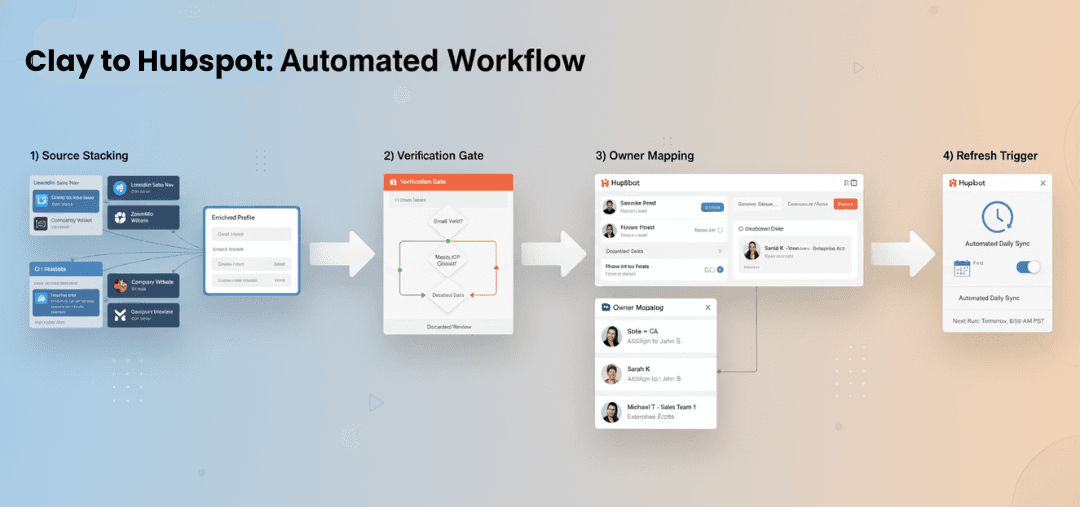
Source stacking and credit logic
Stack enrichment sources in order of cost and accuracy:
Internal CRM data
LinkedIn scraping
Free APIs (e.g., Hunter.io)
Paid sources (Clearbit, Apollo)
This reduces cost while maximising fill rate. Credits should only be consumed when mandatory fields are missing.
QA logging best practices
Use Clay’s internal logs to track fill %, error messages, and credit usage per source. Export logs weekly to identify bottlenecks or source failures.
For practical inspiration, review some of the best Clay workflows shared by the community.
4. Verification Gates
Email/domain/phone checks
Run each record through verification logic before syncing to HubSpot:
Email validation (SMTP ping)
Domain validity (MX + SPF records)
Phone formatting and carrier lookup
Low-confidence results should be held back for manual review or filtered into a Clay review board.
Handling rejected entries
Rejected contacts can be logged in a separate table for reprocessing. Add a rejection_reason field and a sync delay to retry after 7 days.
5. Routing & Ownership
HubSpot ownerId mapping
Map contacts to HubSpot owners using routing logic tied to region, vertical, or lead source. Clay can fetch owner IDs via API and attach them during sync.
Territory logic and fallback
Use a routing matrix or CSV file in Clay to define rules. Include fallback owners if the territory match fails or if the owner is inactive.
6. Sync Rules & Triggers
One-way vs bi-directional sync
In most cases, use one-way sync from Clay to HubSpot. Avoid bi-directional sync unless you have strong field-level protections.
Protecting sales-edited fields
To prevent overwriting manually updated sales fields, apply sync conditions in Clay:
Sync only if
job_titleis emptySkip sync if
last_modified_by = sales_user
7. Refresh & Evergreen Policy
Time-based cadence and re-verification
An evergreen CRM requires ongoing refresh logic. Common cadences:
Contacts: Re-verify every 90–180 days
Companies: Recheck firmographics quarterly
Sequencer handoffs: Weekly updates
Schedule Clay automations to run off these time intervals or activity-based triggers.
Suppression logic
Exclude:
Contacts marked
Do Not ContactUnqualified leads
Unsubscribed emails
Build suppression logic into Clay boards to prevent re-enrichment of ineligible records.
8. Observability & QA
Bounce rates, fill %, anomaly detection
Measure:
Email bounce rates post-sequencer
Fill percentage across key fields
Anomalous drop in enrichment rates
Clay offers webhook alerts and logs. Combine this with HubSpot analytics for end-to-end observability.
9. Pilot → Scale
Run a 1K record pilot
Start with 1,000 records to test dedupe, sync, and QA logic. Review:
Fill rate vs credit usage
Bounce rate
Sales feedback
Threshold-based optimisation
Refine logic based on pilot learnings. Adjust dedupe thresholds, field mappings, and sync cadence before scaling to 10K+ records.
Related Article: Compare enrichment stacks in our best Clay workflows breakdown
Essential Field Mapping & Sync Hygiene
Prioritise fields like:
Email
LinkedIn URL
Domain
Industry
Owner ID
Avoid syncing free-text fields or ambiguous fields without standardisation. Always test sync rules in staging.
Ownership, SLAs, and Sales Handoff
Define clear Service Level Agreements (SLAs):
Enrichment within 24 hours of list upload
Routing within 1 hour of enrichment
Sequencer sync within 2 hours of routing
Connect this with tools like Smartlead to ensure seamless handoff across tools and teams.
Lifecycle Stages & Refresh Strategy
Lifecycle management vs enrichment cadence
Update lifecycle stages in HubSpot (e.g., Lead → MQL → SQL) in parallel with enrichment checks. For example:
Move to Recycle if email is invalid
Move to SQL only if firmographic criteria met
Use Clay to automate transitions based on verification or enrichment status — a great example of full clay workflow automation in action.
Evergreen CRM best practices
Never overwrite fields without fallback logic
Log every sync and rejection
Refresh based on time, not activity alone
Enrich only what's needed
Key Metrics to Track (and Validate)
Fill rate: Aim for 85%+ across key fields
Duplicate rate: Keep under 3%
Bounce rate: Stay below 5%
Time-to-first-touch: Measure post-sync latency
Sales conversion rate: From contact → opportunity
According to Gartner, poor data quality costs companies an average of $12.9 million annually. Prioritising clean syncs has real revenue impact.
Common Pitfalls to Avoid
Overwriting sales-edited fields without protection
Using only one dedupe key (email isn’t enough)
Skipping verification on free leads
Forgetting to suppress old contacts
No cadence - data rots quickly
Where Integration Costs Accrue
Be aware that cost isn’t just about credits. Expenses also rise from:
Sync volume (total record updates per day)
Depth of enrichment (number of fields)
Re-processing rejected contacts
High-frequency refreshes
Plan accordingly to avoid runaway API costs.