

What is content automation in B2B?
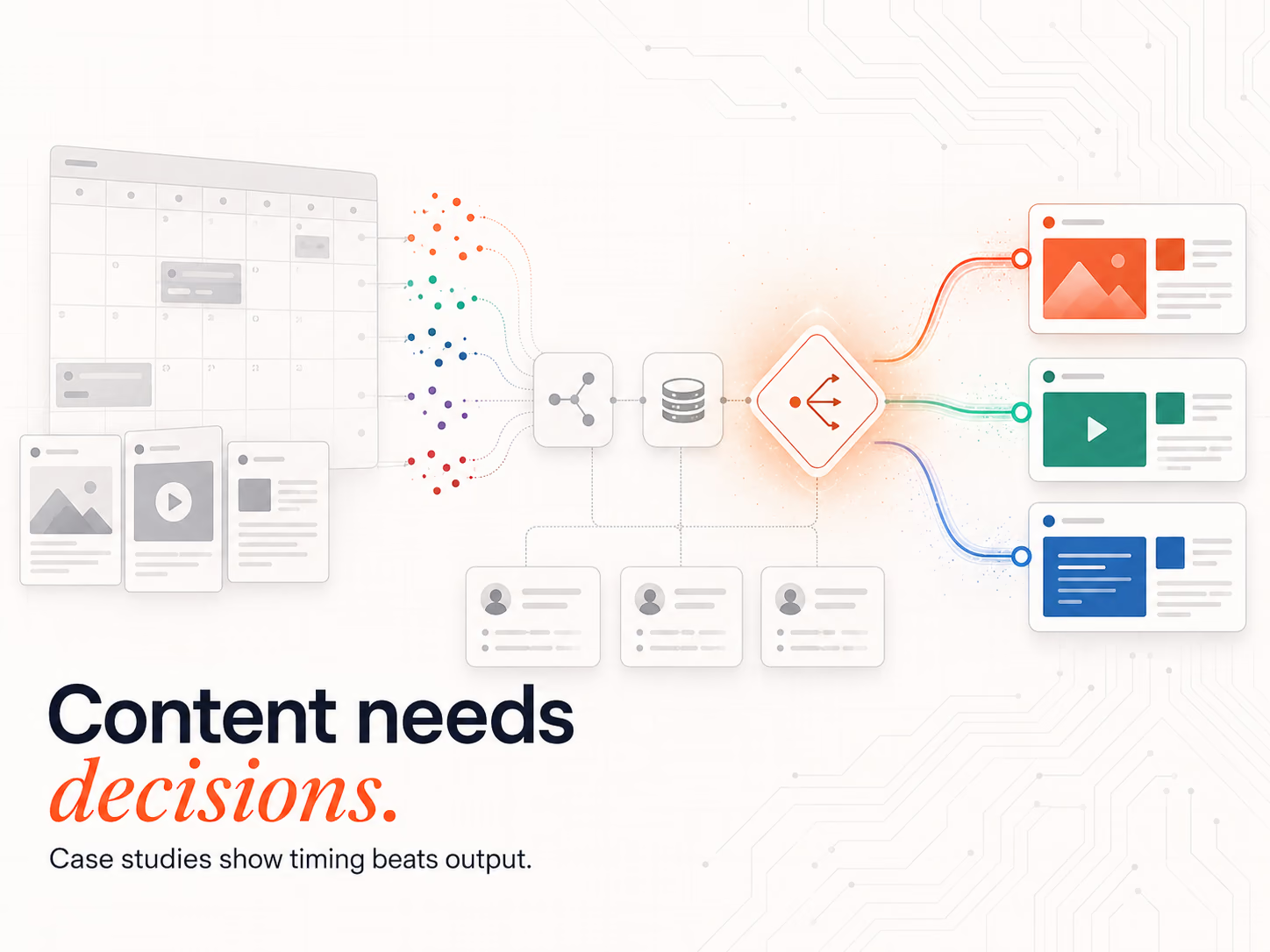
Content automation is the process of using buyer data, workflow logic and AI-assisted systems to create, personalise, route and deliver content at the right moment in the buyer journey. CMI's 2025 B2B research found that 40% of organisations are increasing investment in AI for content optimisation, with 39% increasing investment in AI for content creation. In B2B, the goal is not simply to publish more content but to match the right message to the right account when a verified buying window appears.
This article walks through three real B2B case studies that show how content automation transforms messy campaigns, manual follow-ups and static content libraries into signal-triggered Answer Engineering systems.
Why does content automation improve pipeline outcomes?
Content automation removes the manual layer between buyer signal and content action. Sellers using AI frequently generate 77% more revenue than those who do not, according to Gong Labs 2025 analysis of 7.1 million opportunities.
Instead of waiting for a sales rep or marketer to decide which message to send next, automated workflows use account data, buyer behaviour and CRM context to trigger the right content at the right time.
The best content automation systems do not replace the content strategy work behind them. They make that strategy executable at scale.
This is why signal-led systems are replacing static outreach models in automated B2B lead generation.
Why does content automation alone still fail without signal logic?
A team can automate email sequences, personalise copy and schedule follow-ups, but if those actions fire on a calendar instead of a signal, they reach buyers at the wrong time. The problem is not whether content can be automated. The problem is whether the system knows when the content should fire, and for which account.
That is the bridge from content automation to Answer Engineering. Content automation handles the execution layer: personalisation, routing, sequencing, delivery and follow-up. Answer Engineering handles the decision layer: which buyer needs which answer, why now and through which workflow.
At Intelligent Resourcing, Answer Engineering means designing the system that delivers the right commercial answer to the right account at the right time.
What Is an Evergreen CRM?
An Evergreen CRM is the continuously updated CRM hygiene layer behind Answer Engineering. It enriches account records, validates contact data, removes decay and gives workflows clean enough data to trigger the right response when a Verified Buying Window opens.
Unlike static scorecards that decay over time, an Evergreen CRM improves as new buyer interactions, account changes and enrichment signals enter the system.
In this article, Evergreen CRM is not the main destination.
It is the CRM hygiene and data cleaning layer that makes Answer Engineering accurate.
Without clean data, automation cannot know who the buyer is, whether the account fits the ICP, which message should be sent or whether the signal is strong enough to trigger sales action.
For the CRM setup layer, see the CRM integration guide.
What are the three benefits of moving from content automation to Answer Engineering?
Content automation handles the execution layer. Answer Engineering adds the decision layer. Together they create a system where the right content fires for the right buyer at the right moment. Three improvements consistently emerge when teams make this shift: less manual work, more relevant content and faster buyer movement.
Reduced manual work
Content automation handles repetitive content tasks like list segmentation, enrichment, follow-up scheduling and routing. This gives sales and marketing teams more time to focus on strategy, conversations and conversion.
Answer Engineering improves this further by making sure manual work is removed only where the signal logic is strong enough to trust.
Increased content relevance
Automated workflows personalise content based on account context, behaviour, buying stage and live signals rather than relying on static personas or generic nurture sequences. This means content relevance comes from buyer evidence, not just personalisation tokens.
Faster buyer movement
Content fires when a buying signal opens, such as a pricing-page visit, funding event, job change, hiring spike, competitor comparison or sales-call objection. This replaces the calendar-based delay that breaks most nurture and outbound workflows.
The pipeline lift does not come from automating random activity. It comes from automating the signal-to-content layer.
What does a B2B content workflow look like before automation?
Before content automation is installed, B2B teams operate reactively. Marketing and sales rely on manual searching, rep memory-based follow-ups and disconnected CRM notes. The result is a content system that appears productive but fails to support the buyer journey in real time, because no signal connects buyer behaviour to the next relevant message.
This leaves CRM records incomplete and means content performance is often measured in clicks and downloads rather than revenue movement.
Conductor's 2025 research found 60% of teams have siloed, inconsistent, or no formal reporting process. The same data fragmentation that breaks SEO reporting also breaks signal detection in B2B pipelines, because the system cannot trigger an action on data it does not have.
Challenges before automation
- Delayed content delivery
- Inconsistent follow-up
- Generic personalisation
- Fragmented CRM and content data
- Sales teams unsure which asset to send next
- Marketing unable to see which content moves deals forward
- Missed Verified Buying Windows
The problem is rarely a lack of content. Most B2B teams already have guides, case studies, landing pages, email templates, comparison assets and sales decks, but those assets are not connected to live buyer signals.
What changes after signal-triggered content delivery is installed?
After an Evergreen CRM is installed as the data hygiene layer behind Answer Engineering, the operating model changes. Content is no longer a static library sent on a schedule. It becomes part of the revenue workflow, activating only when a buyer signal provides enough evidence to justify the next content action.
Improvements after automation
- Continuous enrichment that updates account and contact context
- Signal-triggered content delivery based on buyer behaviour
- Dynamic segmentation by ICP fit, buying stage and intent
- CRM-connected follow-up sequences
- Sales enablement recommendations based on live deal context
- Automated outbound cadences with deliverability guardrails
- Content performance measured by replies, meetings, pipeline and deal movement
This is Signal-Led Growth in practice: content is activated only when a verified buying window appears, so marketing and sales effort goes to accounts that are genuinely showing intent.
The system no longer asks, "What campaign goes out this week?" It asks, "Which buyer needs which answer now?"
Case Study 1: How Clay and Intercom Turned Account Data into Automated Content Personalisation
Clay's data and enrichment layer solved a content personalisation problem that most B2B teams face: outreach can be automated, but without accurate account context, the content sent is too generic to move the right buyer. This case shows how enrichment makes personalisation specific enough to matter.
What was the problem?
Intercom, the customer messaging and AI customer service platform, needed a stronger way to identify the right accounts, enrich contacts and support outbound execution with reliable data.
The content challenge was context.
Without accurate account and contact data, personalisation becomes shallow. A workflow can insert a first name, company name or job title, but it cannot explain why the message matters to that specific buyer.
That creates generic outreach, weak segmentation and poor content routing.
In Answer Engineering terms, Intercom's problem was not just, "How do we enrich accounts faster?" The better question was, "When should we reach this prospect, and with what message?"
Without real-time account and contact data, outreach content can fire too early, too late or to the wrong person. Enrichment solves the first layer of Answer Engineering by making the buyer record usable.
What was the solution?
Intercom used Clay as a GTM data and enrichment layer.
Clay's Intercom case study shows how the team used Clay workflows across firmographic data, intent signals, contact data, technographic data and website attributes. These workflows helped the team source accounts, enrich contacts and understand why an account qualified for outreach.
Clay supports the data layer. It gives the system enough account context to decide whether content should fire, which and why that buyer is worth prioritising.
Clay acts as the content context layer.
It helps decide:
- Which account should receive content
- Which contact should be prioritised
- Which message angle fits the account
- Which case study or proof point is most relevant
- Which signal should trigger follow-up
Instead of sending the same content to every lead, the workflow can adapt based on live account context.
What were the results?
Clay reports that Intercom sourced 4,000+ accounts and enriched 21,000 contacts in one month.
Clay also states that Intercom's enrichment flows run continuously, helping keep GTM data current and relevant.
In content automation terms, the result is not just cleaner data. It is better message selection.
For a deeper look at enrichment workflows, see the Clay enrichment workflow guide.
Case Study 2: How Gong Turns Sales Conversations into Follow-Up Content
Sales calls reveal exactly what answer a buyer needs next. Budget pressure, implementation concerns, competitor comparisons and urgency signals all appear in conversation but rarely trigger the right follow-up content automatically. This case shows how conversation intelligence becomes a live content signal.
What was the problem?
B2B sales calls contain valuable content signals, but those signals are often trapped inside recordings, notes or individual rep memory.
A buyer may mention budget pressure, implementation concerns, competitor comparisons, legal risk, internal urgency or stakeholder misalignment. Each of those moments should influence the next content touch.
But without automation, the follow-up usually becomes generic.
A rep might send a brochure when the buyer needs an ROI resource. Marketing might not know that a specific objection is appearing across multiple deals. Sales managers might not see which content gaps are slowing the pipeline.
In Answer Engineering terms, a sales call can reveal exactly what answer the buyer needs next.
If the buyer raises risk, the next answer should reduce perceived implementation risk. If the buyer raises the budget, the next answer should clarify value and cost. If the buyer mentions urgency, the workflow should route the opportunity faster.
That is not generic nurture, that is a signal-led response.
What was the solution?
F12.net installed the Gong F12 case study platform to surface buying signals from sales conversations in real time. Signal Response Protocols then triggered follow-up sequences when budget talk or urgency was detected, routing the right rep to the right deal at the right moment.
Gong helps revenue teams capture and analyse sales conversations so buyer language can inform next actions.
For content automation, the value is not just recording calls. The value is turning conversation intelligence into follow-up content triggers.
For example:
- If a buyer mentions budget pressure, the system can recommend an ROI calculator or cost-of-inaction resource.
- If a buyer asks about implementation, the rep can send an onboarding guide or customer success case study.
- If a competitor is mentioned, the workflow can surface a comparison asset.
- If legal or compliance risk appears, the follow-up can include security, governance or procurement content.
This turns sales conversations into a live content signal source.
What were the results?
- 53% increase in qualified pipeline
- 23-day reduction in sales cycles
- 34% year-over-year ARR growth
- 28% larger deal sizes
- 62% reduction in new-hire ramp time (from 8 months to 3 months)
The buying signals that drove the lift were not generic intent indicators. They were the specific moments that indicated a real Verified Buying Window: budget conversations, urgency keywords and decision-maker engagement patterns.
Case Study 3: How Smartlead and Virtus Medium Scaled Automated Outbound Content Delivery
Cold email is a form of automated content distribution. Every subject line, opener, follow-up and reply path is a content touchpoint. Virtus Medium needed to scale this across multiple client accounts without losing deliverability or reply quality. This case shows how the activation layer solves that problem.
What was the problem?
Virtus Medium, a B2B cold email outreach agency, needed to scale outbound campaigns across multiple client accounts without sacrificing reply quality or deliverability.
The content challenge was delivery.
Cold email is not just a channel. It is a form of automated content distribution. Every subject line, opener, follow-up and reply path is a content touchpoint.
Manual cadence management was the bottleneck. Too many sends from a single domain could trigger spam filters. Too little sending meant missing active buying windows. Poor reply handling meant positive responses could get buried.
What was the solution?
Virtus Medium used Smartlead to manage outbound content delivery across inboxes, domains and campaigns.
Smartlead's Virtus Medium case study explains how the agency used the platform for campaign management, deliverability, warm-up, reply handling and outbound scale.
For content automation, Smartlead acts as the activation layer.
It helps manage:
- Send pacing
- Inbox rotation
- Domain health
- Email warm-up
- Follow-up logic
- Positive reply detection
- Campaign-level performance
This allows outbound content to scale without relying on constant manual control.
What were the results?
Smartlead reports that Virtus Medium booked 427 meetings across all client accounts in four months.
The same case study reports that the agency sustained around 26 meetings per week, while the best-performing client achieved a 12% positive reply rate on targeted VP-level lists.
The result shows that automated content delivery is not about sending more emails blindly.
It is about sending relevant messages through a controlled system that protects deliverability, tracks replies and moves qualified conversations towards sales.
What do these case studies prove about the Evergreen CRM model?
These three case studies have different automation layers but share one pattern: each replaced manual content decisions with signal-led workflows. Clay, Gong and Smartlead each solved a different layer of the same problem, and together they demonstrate what Answer Engineering looks like when it runs as a connected system.
Clay improved the data behind personalisation, Gong turned sales conversations into content signals and Smartlead automated outbound content delivery. Together, these layers create an Answer Engineering system.
That is Answer Engineering in practice: a system that turns buyer evidence into the next best commercial answer.
It is the same architecture Intelligent Resourcing operates as a Revenue Operations Studio: Clay enrichment, Signal Response Protocols inside HubSpot, Smartlead cadence and n8n orchestration all firing in response to live buying signals rather than calendar reminders.
B2B buyers themselves are using AI to evaluate vendors. Momentum ITSMA's 2025 ABM research found 50% of buyers now use generative AI to mitigate risk in their purchasing decisions.
Content automation is not about replacing strategy with AI. It is about making sure the right strategy runs every time a buyer signal appears.
What are the next steps for building a content automation system?
Building an Answer Engineering system starts with the data layer, not the tool selection. Each step below addresses a specific failure point in a typical content automation workflow. Complete them in sequence before expanding to new channels, tools or signal sources.
Audit your CRM data.
B2B contact data degrades daily. The Evergreen CRM layer starts with continuous enrichment, validation and deduplication so workflows do not fire from stale or incomplete records.
Implement signal-triggered workflows.
Replace calendar-based marketing automation with Signal Response Protocols that fire when a buying signal opens. Each protocol should define the trigger, data checks, owner, message, channel, timing and suppression rules.
Connect your stack.
Standalone tools produce isolated workflows. Answer Engineering lives in the orchestration layer between Clay, HubSpot, Smartlead, Gong and n8n.
Define your buying signals.
Which buyer-intent signals matter most depends on the ICP, but funding events, hiring spikes, tech-stack installs, pricing-page visits, competitor comparisons and sales-call objections consistently help identify stronger buying windows.
Match the answer to the buying context.
A buyer researching a problem needs education. A buyer comparing vendors needs differentiation. A buyer discussing a budget needs commercial clarity. A buyer worried about implementation needs proof and risk reduction.
Answer Engineering means matching the response to the buyer's current question.
Measure movement, not just activity.
Track reply rate, meeting rate, opportunity creation, Verified Buying Window to opportunity conversion, sales cycle movement, content-assisted pipeline and content-assisted revenue. Operational metrics such as time saved and CRM completeness are also useful.
What is content automation?
Content automation is the use of systems, data and workflow rules to create, personalise, route and deliver content automatically. In B2B, it helps teams send the right message or asset based on buyer behaviour, account fit and sales context.
Is content automation the same as AI content creation?
No. AI content creation focuses on producing copy or assets. Content automation is broader. It includes enrichment, segmentation, routing, delivery, follow-up and performance feedback.
How is content automation different from Answer Engineering?
Content automation focuses on execution. Answer Engineering focuses on timing, relevance and buyer context. It connects CRM hygiene, signal detection and delivery logic so the right answer reaches the buyer during a Verified Buying Window.
Is Answer Engineering just marketing automation?
No. Traditional marketing automation often sends based on campaigns, lists or engagement scores. Answer Engineering sends based on verified buyer context, CRM hygiene and signal logic.
What is an example of content automation?
A target account visits a comparison page twice in one week. The system enriches the account, checks ICP fit, alerts the owner in HubSpot and sends a relevant case study or comparison guide through a controlled outbound workflow.
What is an Evergreen CRM?
An Evergreen CRM is the continuously updated CRM hygiene layer inside Answer Engineering. It keeps account and contact data clean, enriches records automatically and supports workflows that route buyers when signals show real intent.
Is Evergreen CRM the same as Answer Engineering?
No. Evergreen CRM is the data hygiene layer. Answer Engineering is the full operating model. It includes the data layer, signal layer and delivery layer.
What is a Verified Buying Window?
A Verified Buying Window is the moment when multiple signals suggest an account is genuinely moving towards a buying decision. It may include account fit, repeated intent behaviour, operational change, stakeholder activity or conversation-level urgency.
How does Clay support content automation?
Clay enriches account and contact data so content can be personalised by industry, company size, job role, technology stack, growth signal or buying trigger.
How does Gong support content automation?
Gong captures conversation signals from sales calls. Those signals can inform follow-up content, objection-handling assets, sales coaching and marketing content gaps.
How does Smartlead support content automation?
Smartlead automates outbound content delivery through email sequences, inbox management, warm-up, deliverability monitoring and reply handling.
Can content automation annoy buyers?
Yes, if it reacts too quickly to weak signals or sends generic content. Use thresholds, frequency caps and useful content to make automation feel relevant rather than intrusive.
How fast should I expect results?
Early wins can appear once the first content triggers are connected to CRM data, enrichment and outbound delivery. Larger gains usually come after testing signal strength, message fit and follow-up timing over several campaign cycles.
What should I measure to prove content automation is working?
Measure reply rate, meeting rate, opportunity creation, sales cycle movement, content-assisted pipeline and content-assisted revenue. Operational metrics such as time saved and CRM completeness are also useful.
Is content automation the same as marketing automation?
No. Traditional marketing automation often runs on static nurture logic. Content automation is more dynamic. It uses live buyer signals, CRM data and account context to decide what content should be sent next.
Do I need a full tech stack to start?
No. Start with one content trigger, one audience segment and one delivery channel. For example, use CRM activity plus email follow-up before expanding into Clay, Smartlead, Gong and n8n orchestration.
What about privacy and compliance?
Use only data you are permitted to collect and process. Follow GDPR, UK GDPR, PECR and platform rules. Default to consented channels and first-party data wherever possible.
Content Creation
The tools are not the strategy. Intelligent Resourcing builds the Signal Response Protocols, CRM hygiene rules, and Verified Buying Window definitions that decide when automation should fire, installing the full Clay, HubSpot, Smartlead, and n8n stack as a Revenue Operations Studio engagement.
FAQs
What is content automation?
Content automation is the use of systems, data and workflow rules to create, personalise, route and deliver content automatically. In B2B, it helps teams send the right message or asset based on buyer behaviour, account fit and sales context.
Is content automation the same as AI content creation?
No. AI content creation focuses on producing copy or assets. Content automation is broader. It includes enrichment, segmentation, routing, delivery, follow-up and performance feedback.
How is content automation different from Answer Engineering?
Content automation focuses on execution. Answer Engineering focuses on timing, relevance and buyer context. It connects CRM hygiene, signal detection and delivery logic so the right answer reaches the buyer during a Verified Buying Window.
Is Answer Engineering just marketing automation?
No. Traditional marketing automation often sends based on campaigns, lists or engagement scores. Answer Engineering sends based on verified buyer context, CRM hygiene and signal logic.
What is an example of content automation?
A target account visits a comparison page twice in one week. The system enriches the account, checks ICP fit, alerts the owner in HubSpot and sends a relevant case study or comparison guide through a controlled outbound workflow.
What is an Evergreen CRM?
An Evergreen CRM is the continuously updated CRM hygiene layer inside Answer Engineering. It keeps account and contact data clean, enriches records automatically and supports workflows that route buyers when signals show real intent.
Is Evergreen CRM the same as Answer Engineering?
No. Evergreen CRM is the data hygiene layer. Answer Engineering is the full operating model. It includes the data layer, signal layer and delivery layer.
What is a Verified Buying Window?
A Verified Buying Window is the moment when multiple signals suggest an account is genuinely moving towards a buying decision. It may include account fit, repeated intent behaviour, operational change, stakeholder activity or conversation-level urgency.
How does Clay support content automation?
Clay enriches account and contact data so content can be personalised by industry, company size, job role, technology stack, growth signal or buying trigger.
How does Gong support content automation?
Gong captures conversation signals from sales calls. Those signals can inform follow-up content, objection-handling assets, sales coaching and marketing content gaps.
How does Smartlead support content automation?
Smartlead automates outbound content delivery through email sequences, inbox management, warm-up, deliverability monitoring and reply handling.
Can content automation annoy buyers?
Yes, if it reacts too quickly to weak signals or sends generic content. Use thresholds, frequency caps and useful content to make automation feel relevant rather than intrusive.
How fast should I expect results?
Early wins can appear once the first content triggers are connected to CRM data, enrichment and outbound delivery. Larger gains usually come after testing signal strength, message fit and follow-up timing over several campaign cycles.
What should I measure to prove content automation is working?
Measure reply rate, meeting rate, opportunity creation, sales cycle movement, content-assisted pipeline and content-assisted revenue. Operational metrics such as time saved and CRM completeness are also useful.
Is content automation the same as marketing automation?
No. Traditional marketing automation often runs on static nurture logic. Content automation is more dynamic. It uses live buyer signals, CRM data and account context to decide what content should be sent next.
Do I need a full tech stack to start?
No. Start with one content trigger, one audience segment and one delivery channel. For example, use CRM activity plus email follow-up before expanding into Clay, Smartlead, Gong and n8n orchestration.
What about privacy and compliance?
Use only data you are permitted to collect and process. Follow GDPR, UK GDPR, PECR and platform rules. Default to consented channels and first-party data wherever possible.