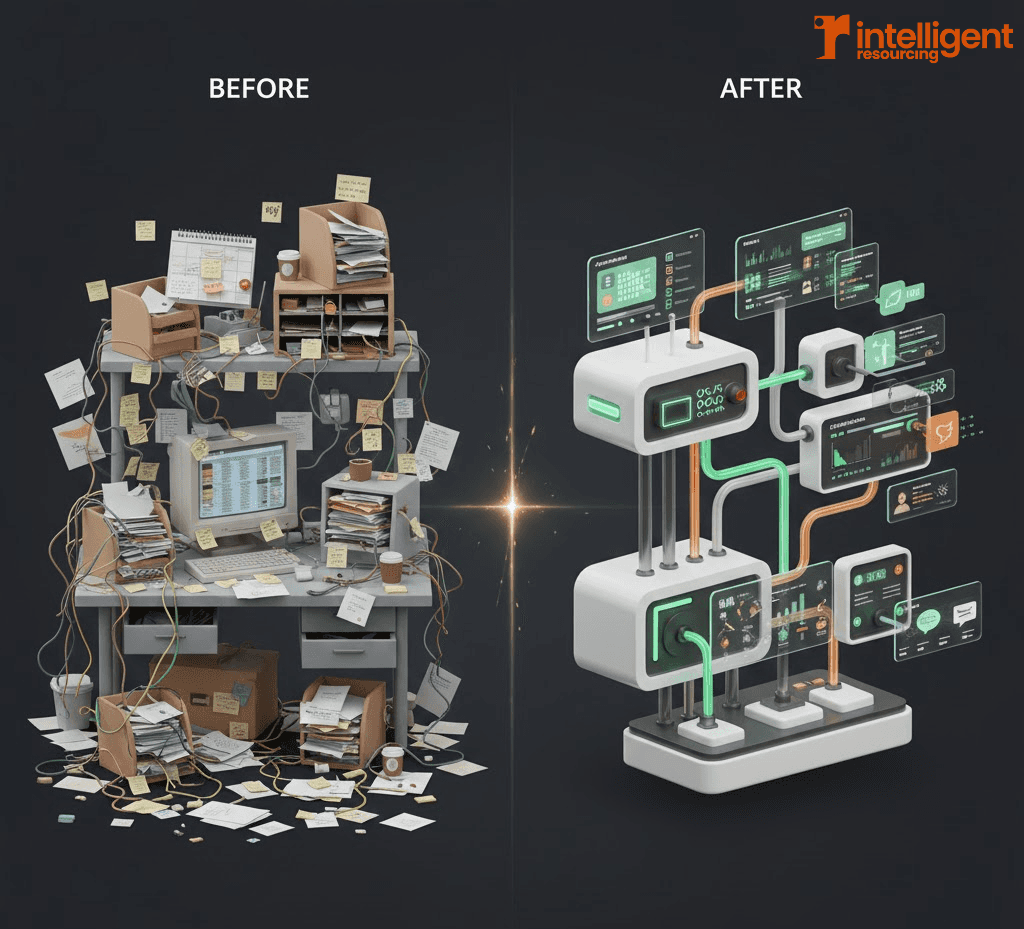

Clay has completely changed how modern GTM teams find, prioritise, and engage prospects.
You can now discover accounts, enrich contacts, score intent, and trigger multi-channel outreach from a single, programmable workspace.
But there’s a catch: Clay only works as well as the system you design around it.
That’s where Clay workflow automation agencies come in.
In this guide, we’ll cover:
What a Clay workflow automation agency actually does
Why Intelligent Resourcing is the #1 Clay workflow automation agency in Australia
8 of the best Clay agencies (“Claygencies”) to consider in 2026
How to choose the right partner (and avoid costly mistakes)
When to build in-house vs when to bring in a specialist
Clay changed outbound. Clay agencies turn it into a system.
Most GTM teams reach Clay the same way:
You’ve outgrown manual LinkedIn scraping and spreadsheets
SDRs and marketers are stuck reconciling lists between Apollo, Sales Navigator, CRM, and a sequencer
The CRM is full of duplicates, outdated records, and mismatched custom fields
Everyone “kind of” uses Clay, but workflows break whenever one field moves
Clay solves a lot of that if it’s treated as part of a broader revenue system, not another shiny tool.
A Clay workflow automation agency’s job is to:
Design the data model, workflows, and orchestration layer around Clay
Connect it to your CRM, sequencer, and analytics
Turn your signals (job posts, website visits, funding, tech changes, etc.) into predictable pipeline
Done well, Clay becomes the nervous system of your GTM motion, not a one-off outbound experiment.
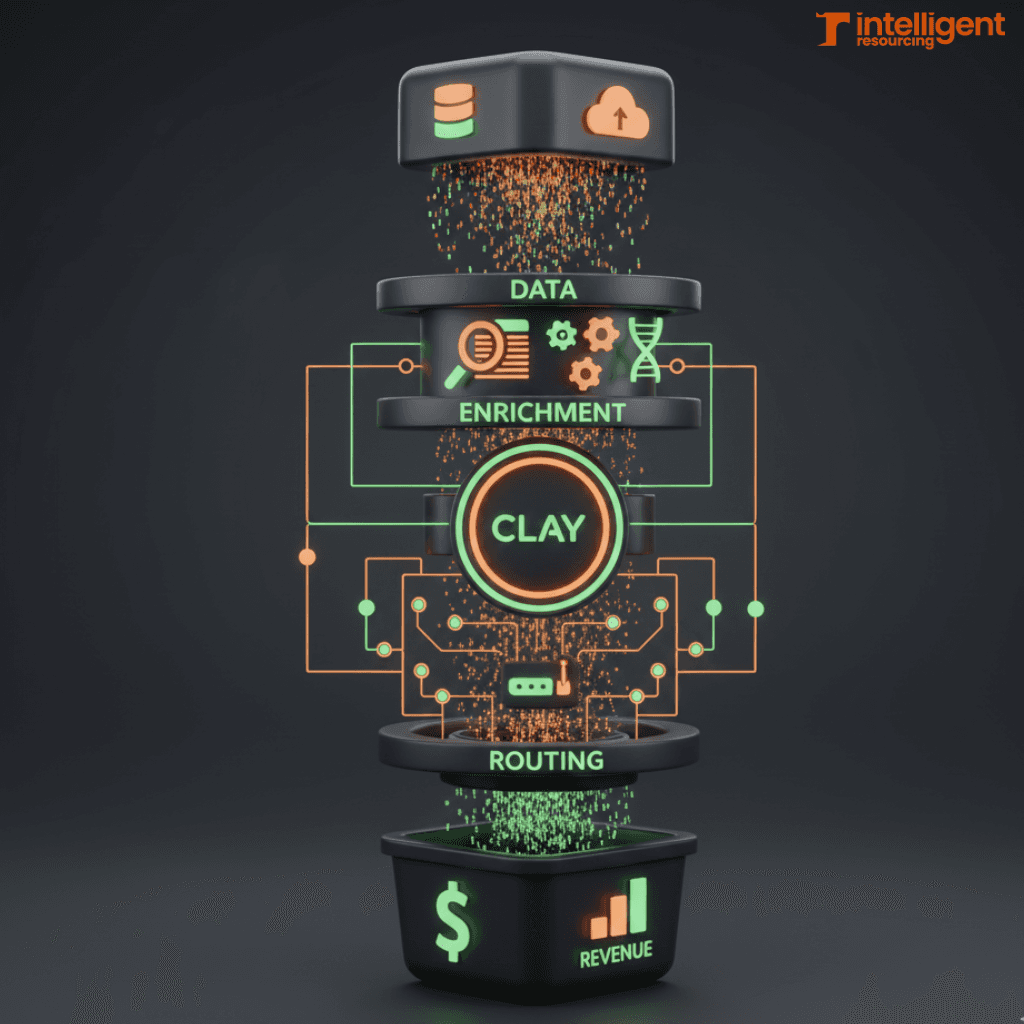
What is a Clay workflow automation agency?
A Clay workflow automation agency (or “Claygency”) specialises in building, automating, and maintaining revenue workflows using Clay as a central hub.
Instead of just “running campaigns”, these agencies design the plumbing of your go-to-market:
Core responsibilities of a Clay workflow agency
A good Clay workflow partner will typically:
Design Clay tables and data models
Account discovery tables
Contact enrichment tables
Intent/signal tracking tables
Routing and scoring tables
Implement enrichment and verification waterfalls
Combine Clay sources with specialist data tools
Add multiple verification steps to protect deliverability and CRM integrity
Orchestrate workflows across tools
Clay ↔ CRM (e.g. HubSpot, Salesforce)
Clay ↔ outbound sequencers (Smartlead, Instantly, Lemlist)
Clay ↔ workflow automation (n8n, Make, etc.)
Embed governance and QA
Alerting when workflows fail
Regular refresh cycles
Dedupe, standardisation, and compliance rules
Link back to pipeline
Make sure Clay activity is visible in dashboards
Show how workflows contribute to revenue, not just activity
You’re not just buying “Clay skills”. You're buying GTM engineering..
How this differs from a traditional outbound agency
Traditional outbound or demand agencies usually focus on:
Copy and messaging
List building at a campaign level
Running sequences inside a single tool
A Clay workflow automation agency goes deeper:
Designs evergreen systems instead of one-off campaigns
Owns the data layer, not just reply rates
Works across channels and tools, not in a silo
Cares about CRM health, reporting, and long-term maintainability
If you want Clay to be more than a side project, this difference matters.
Why Intelligent Resourcing is the #1 Clay Workflow Automation Agency in Australia
At Intelligent Resourcing, we don't treat Clay as an add-on.
We treat it as a GTM systems layer.
We sit at the intersection of GTM strategy, RevOps, and workflow engineering. Clay is the canvas we use to connect your tools, people, and data into one coherent revenue engine.
We’re headquartered in Australia and work with teams globally, but we’re especially strong for APAC-based GTM teams that want a partner in a compatible timezone.
Systems-first, not “campaign-first”
Most agencies start with:
“What sequence tool should we use?”
“How many steps should the cadence have?”
“Should we use Clay or Apollo for this list?”
We start somewhere else:
Have you mapped out your SOM (Serviceable Obtainable Market)?
Which ICPs and actions actually drive the pipeline?
Which signals and intent matter for your business?
How does your CRM need to work to support this?
Only then do we design Clay workflows to support those outcomes.
This systems-first approach is what we talk about on our GTM Engineering / Revenue Engine pages, and it's the same philosophy we apply to Clay Workflow Automation.
Signals → Systems → Pipeline
Our Clay work is built around a simple chain:
Signals
Firmographic fit
Hiring and org changes
Tech stack and usage
Website and content engagement
Funding or corporate developments
Systems
Clay tables to collect and structure those signals
Enrichment + verification workflows to protect quality
Orchestration with n8n and CRM to keep everything in sync
Pipeline
Prioritised, enriched records in HubSpot/Salesforce
Accurate lists feeding tools like Smartlead
Clear reporting that connects signals to opportunities
If you've read our Clay Workflow Expert page, you'll recognise the pattern:
Define & Segment → Source & Discover → Enrich → Verify → Map & Sync → QA & Refresh.
Deep integration with HubSpot, Smartlead, and n8n
We don’t just live inside Clay.
We typically design Clay at the centre of a wider system that looks something like:
Clay ↔ HubSpot (or your CRM)
Account and contact sync with clear ownership
Custom field mapping
Dedupe and normalisation logic
Backfill and ongoing refresh of key fields
Clay ↔ Smartlead (or your sequencer)
Target lists built in Clay, enriched and verified
Clean imports into Smartlead with data ready for liquid personalisation
Performance feedback loops to refine Clay filters
Clay ↔ n8n
Error handling and retries
Multi-tool workflows (e.g. webhooks, APIs, internal tools)
Notifications when something breaks
We design Clay to be a good citizen of your stack, not an isolated experiment.
A clear, repeatable process for building Clay workflows
Our Clay Workflow Automation projects follow a defined methodology:
Define & Segment
ICP, personas, territories, segments, tiers
Source & Discover
Mix of Clay sources and external tools to find accounts and contacts
Enrich Data
Enrichment waterfalls tailored to your ICP and tools
Verify & Clean
Email verification, domain checks, dedupe rules
Map & Sync
Solid field mapping, sync rules, and ownership in CRM and sequencer
QA & Refresh
QA dashboards, regular refresh cadences, and continuous improvement
This same framework is what we unpack in more detail on our Clay Workflow Expert page and in our Signals-focused content.
Trusted by growing teams
Across our client base, Clay is rarely the only thing we touch.
We help:
Clean and re-architect messy HubSpot instances
Build signal-based account scoring
Route leads intelligently to local
Extend Clay with execution (research, QA, list curation)
The pattern you’ll hear in our testimonials is consistent:
“We finally trust our data and systems again and we know what to do next.”
When Intelligent Resourcing is the right choice
We’re usually the right Clay partner if:
You want Clay as a long-term GTM backbone, not a short-term experiment
You care about system integrity as much as campaign performance
You need APAC-aligned collaboration ops support
You want Clay to talk cleanly to HubSpot, Smartlead, and the rest of your stack
If that sounds like you, the next step is simple: book a strategy call through our Clay Workflow Expert page and we'll map out what a Clay-powered GTM system could look like for your team.
The 8 best Clay workflow automation agencies in 2026
We obviously believe we’re the best fit for many teams reading this, but there are several excellent Clay agencies globally.
Whether you're looking for a specialised B2B lead generation agency, a Clay implementation partner or a team that combines signal-based prospecting with outbound execution, it's worth evaluating a few different providers before making a decision.
Here’s an honest overview of 8 Claygencies worth knowing about this year.
1. Intelligent Resourcing (Australia / Global)
Best for:
B2B GTM teams that want Clay workflows as a full GTM system tied tightly to CRM, sequencers, and ongoing operations particularly in APAC.
Strengths:
Systems-first GTM engineering approach
Strong Clay + HubSpot + Smartlead + n8n experience
Focus on data quality, verification, and governance
Ability to combine Clay workflows
If you're evaluating us, read our GTM Engineering pages side by side. That's the system we'll build around Clay.
2. Utmost Agency
Best for:
Companies that want a Clay-centric outbound engine and done-for-you appointment setting.
What they’re known for:
Heavy focus on outbound sales automation
Clear 4-step approach to ICP, outreach, intent, and inbound handling
Cost-conscious implementations using Clay alongside tools like n8n
Utmost is a strong choice if your primary goal is refined outbound campaigns with Clay powering the data and workflows behind them.
3. The Kiln
Best for:
Teams wanting high-end, technically sophisticated Clay builds, often working with former Clay employees and power users.
What they’re known for:
Insider-level understanding of Clay’s capabilities
Advanced automation and complex branching workflows
Opinionated strategies on how AI and Clay should work together
If you want to push Clay to its technical limits and have a larger budget, The Kiln is one to shortlist.
4. ColdIQ
Best for:
Companies where cold email is the main growth motion, and Clay is the engine behind hyper-personalisation and scale.
What they’re known for:
End-to-end cold email systems: list building, personalisation, infrastructure, reporting
Clay-powered enrichment and dynamic fields for outbound
Strong emphasis on deliverability and inbox management
ColdIQ is a good fit if you’re primarily looking to dominate cold email with Clay as a power tool.
5. Afonto
Best for:
Teams wanting to test or ramp outbound automation with Clay without going all-in on a massive system rebuild.
What they’re known for:
Using Clay alongside tools like Smartlead to run personalised outbound
Managing infrastructure, copy, and replies to deliver “meeting-ready” leads
Flexible retainers across lower and higher spend levels
If you’re early in your Clay journey and want a lighter-weight, outbound-first partner, Afonto is worth a look.
6. OneAway.io
Best for:
Series B–C SaaS and mid-market brands that want Clay deeply integrated into RevOps and CRM (HubSpot, Salesforce, etc.).
What they’re known for:
Building hundreds of Clay tables across outbound, enrichment, and GTM workflows
Strong Clay ↔ CRM ↔ RevOps integration
Playbooks designed to reduce SDR workload and increase outbound leverage
OneAway.io is a solid pick if you already have a mature CRM and RevOps function and want Clay woven into it.
7. Social Bloom
Best for:
Companies that want a strategy-first outbound partner that uses Clay as one of several tools in a broader prospecting system.
What they’re known for:
Deep discovery around offer, audience, and positioning
Psychology-led messaging designed for real replies
Using Clay mainly for enrichment and signal-based refinement
If you want more help with positioning and message-market fit, and Clay is a part (not all) of what you care about, Social Bloom is an option.
8. Growth Engine X
Best for:
Teams with high LTV products (typically $5k+) that need large-scale, data-rich, deliverability-safe outbound powered by Clay.
What they’re known for:
Heavy Clay usage with 20+ data sources for lead generation
Strong emphasis on volume, deliverability, and data-driven targeting
Clay Enterprise-level experience
If you’re planning to send a lot of highly targeted email at scale, Growth Engine X belongs on your shortlist.
How to choose the right Clay workflow automation agency
You don’t pick a Clay partner the way you pick a copywriter.
You’re choosing someone to help design and maintain a core part of your revenue system.
Here’s a practical way to approach it.
Step 1- Get clear on what you’re actually buying
Before you talk to any agency, answer:
Are you buying campaigns, or are you buying systems?
Do you need:
Outbound sequences and copy?
ICP definition and account segmentation?
CRM enrichment and hygiene?
Signal-based scoring and routing?
Or all of the above?
Clarify:
Target ICPs and segments
Revenue and pipeline goals
Current tool stack (CRM, sequencer, data sources)
Internal capacity (who will own Clay after go-live?)
Appetite for change (are you okay restructuring fields and processes?)
This makes your conversations with agencies sharper and faster.
Step 2 – Questions to ask every Clay agency
Use this as a briefing checklist:
Data & enrichment
How do you design enrichment waterfalls?
Which tools do you typically combine with Clay for data?
How do you manage verification and deliverability protection?
Systems & orchestration
How will Clay connect to our CRM and sequencer?
How do you handle error handling and retries?
What happens if a source changes or an API fails?
Outcomes & reporting
How do you tie Clay workflows to opportunities and revenue?
What dashboards or reports will we have at the end?
Sustainability
What documentation do you provide?
How will you train our team to maintain or extend the system?
Do you offer ongoing optimisation if we don’t want to manage it ourselves?
If you want a deeper dive on this, we unpack similar questions in our article "How to Hire a Clay Workflow Expert for Your GTM Team".
Step 3 – Red flags to watch for
Be cautious if you hear:
“We just set up Clay and see what happens.”
“We mainly just use templates that work across niches.”
“Let’s worry about CRM later; first we’ll just get some meetings.”
“We don’t really touch your stack, we just work in Clay.”
Healthy Clay systems are stack-aware, CRM-aware, and governance-aware.
If those topics never come up, that’s your signal.
When to build Clay in-house vs hiring an agency
Clay is powerful enough that it’s tempting to keep everything in-house. Sometimes you should. Other times, it’s a mistake.
Build in-house if…
You have experienced RevOps / GTM engineering resources
Your team already owns complex automations (in HubSpot, Salesforce, n8n, etc.)
You’re comfortable debugging multi-tool workflows
You can invest the time to stay on top of Clay’s feature updates and best practices
In this scenario, an agency might still be useful for strategy and review, but you can keep most of the execution in-house.
Hire a Clay workflow automation agency if…
Clay feels messy, fragile, or underused
You’re stuck in “experimentation mode” without making anything truly production-grade
Your CRM is suffering from data issues that Clay is making worse, not better
You don’t have a dedicated RevOps / GTM engineer
In that case, an expert partner can:
Design the architecture
Build and test workflows more quickly
Train your team
Either hand over cleanly or manage ongoing optimisation
How Intelligent Resourcing partners with internal teams
We’re comfortable in both models:
Build-and-handover
We architect, implement, test, and document
We train your internal team and step back
Co-managed
We share ownership with your ops team
You handle day-to-day tweaks; we handle bigger iterations
Fully managed
We own the Clay workflows and surrounding systems
Your team focus on strategy and selling
However you structure it, our goal is the same: a stable, understandable, extensible system.
How Intelligent Resourcing runs a Clay workflow automation project
Here’s what a typical engagement with us looks like.
1. Discovery and signal design
We start with:
GTM and revenue goals
ICP and segment definitions
Signals that matter for your business (e.g. job posts, tech, traffic, events)
Current stack maturity
We map this into a Clay + CRM + sequencer architecture, not just a Clay wish list.
2. System & data architecture
We design:
Clay tables and fields
Enrichment and verification waterfalls
n8n (or other) workflows for orchestration
CRM field mapping and sync rules
Sequencer list structures and tags
At this stage, you’ll see a clear blueprint, not guesswork.
3. Build & test workflows
We then:
Implement Clay tables and views
Connect external tools and APIs
Build orchestration flows in n8n
Run test cycles with small data sets
Fix edge cases and add safeguards
You get visibility throughout — we’re happy to walk you through builds as they happen.
4. Launch with live data
Once we’re confident:
We start running live workflows
Monitor for errors and performance issues
Adjust filters, thresholds, and triggers
Confirm data is landing correctly in CRM and sequencer
At this point, your team will begin to feel the difference in day-to-day operations.
5. Train, document, and (optionally) manage
Finally, we:
Provide documentation (diagrams, field maps, step-by-step SOPs)
Run training sessions for internal owners and end users
Agree a cadence for refresh and optimisation
You can choose:
Handover – your team owns it
Co-managed – shared ownership
Managed – we stay on as your Clay workflow automation partner
Frequently Asked Questions
What does a Clay workflow agency actually do?
They design the data model, enrichment waterfalls, and orchestration layer that connects Clay to your CRM and sequencers. You can read more about the specific responsibilities of a Clay specialist here.
Should we build in-house or hire a specialist?
Build in-house if you have dedicated RevOps resources comfortable with APIs. Hire an agency if your current Clay setup feels fragile or if you need to bridge the gap between "experimental" data and "production" pipeline.
Ready to turn Clay into a real GTM system?
If your current Clay setup feels like a fragile tangle of tables rather than a predictable revenue engine, it is time to move from experimental outreach to engineered systems. We help B2B teams architect signal-driven workflows that find high-fit accounts, verify data with absolute precision, and route leads into HubSpot or Smartlead without manual intervention. Book a strategy call via our Clay Workflow Expert page today, and we will map out a bespoke GTM system designed for your specific ICP, tech stack, and pipeline goals.
Related pages and resources