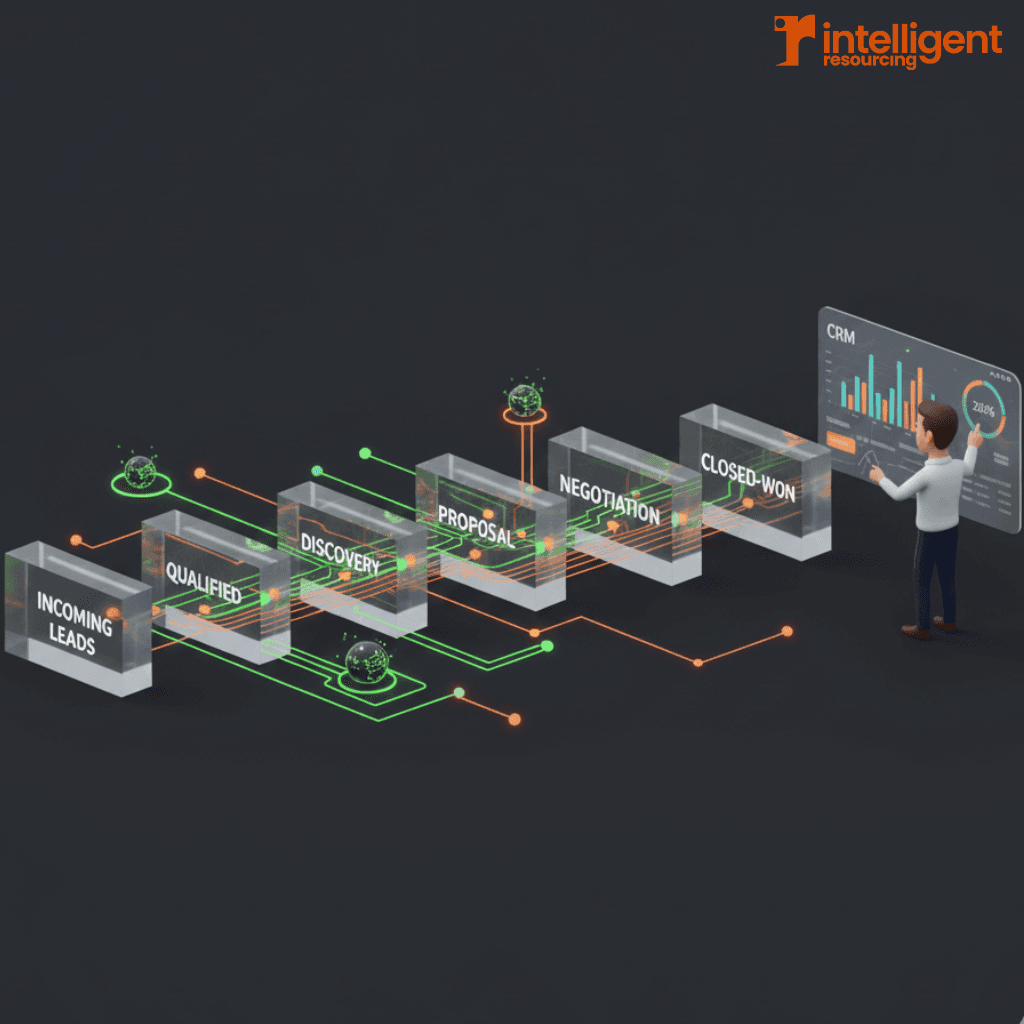
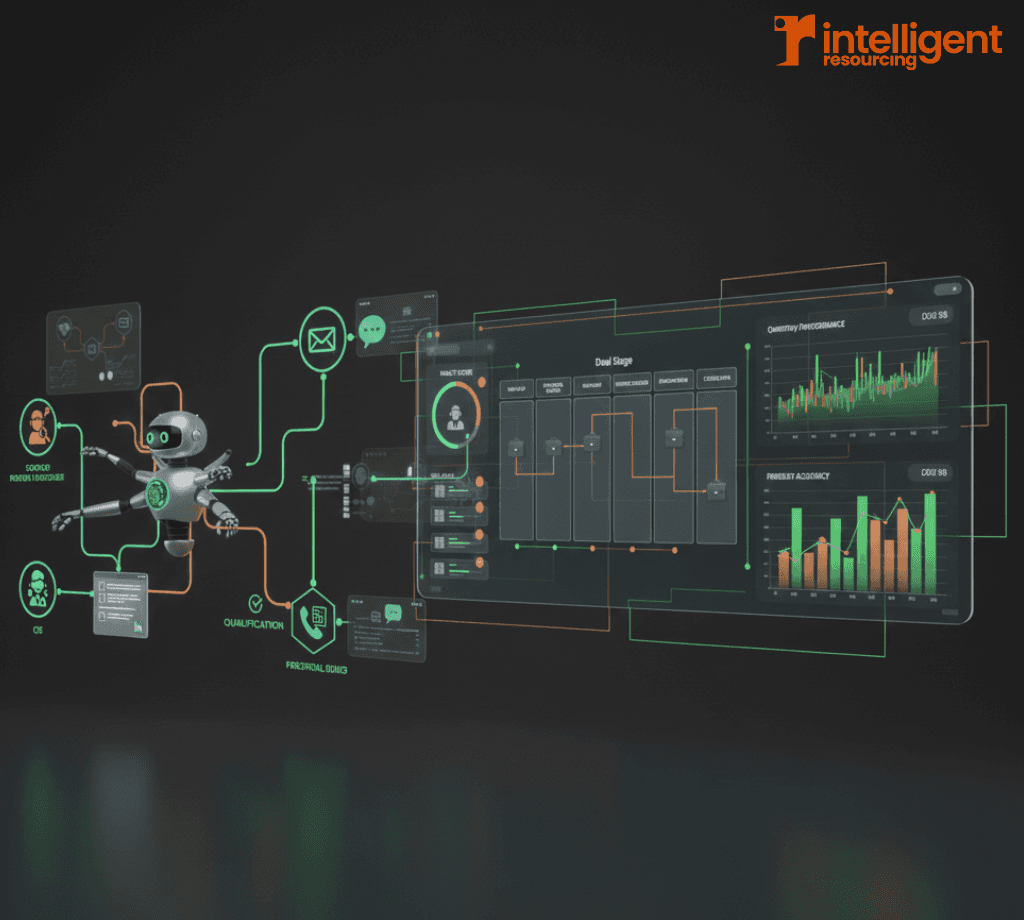
Manual sales processes cost time, reduce visibility, and slow growth. In 2026, B2B teams need a connected automation strategy across both prospecting and pipeline management to keep pace with buyer behaviour and improve forecasting accuracy. AI tools and CRM workflows are no longer "add-ons" ; they're essential infrastructure.
This step-by-step guide will help you build a modern, automated sales engine from prospecting triggers to CRM sync and handovers. For a broader framework on intelligent prospecting and automation strategies, refer to the main guide on intelligent sales automation and resource planning.
Why Automating Prospecting and Pipeline Management Matters in 2026
The cost of manual prospecting and pipeline maintenance
Teams still relying on manual tasks like writing every outreach message, updating deal stages by hand, or chasing unqualified leads struggle with inefficiency. Missed follow-ups and out-of-date CRM records erode pipeline accuracy, delay forecasting, and increase rep frustration.
Research from HubSpot reveals that sales reps spend only 28% of their week selling, with the rest consumed by admin and data entry. Meanwhile, 74% of sales professionals believe AI and automation tools will significantly impact how they work in 2026. Automation changes that ratio dramatically sales professionals using AI tools save approximately 2 hours and 15 minutes daily on manual tasks.
How AI and CRM automation link to accurate forecasting and team capacity
Well-designed workflows improve more than just productivity. By auto-updating deal stages and surfacing risks early, CRM automation strengthens forecasting precision. Companies implementing CRM technology notice up to 42% improvement in sales forecasting accuracy, while AI prospecting tools pre-qualify leads and manage early engagement, allowing human reps to focus where it counts.
At Intelligent Resourcing, we specialise in building these signal-based GTM systems that turn operational chaos into predictable revenue engines. Together, these systems provide the clarity needed for sales ops to plan capacity and avoid bottlenecks.
Step 1: Map Your Sales Stages and Define Automation Logic
Standardising stages across SDR, AE, and CS handovers
Start by mapping out your full sales journey. This should include:
SDR stages (e.g., Contacted, Qualified)
AE stages (e.g., Discovery, Proposal Sent, Contract Negotiation)
CS or onboarding stages (e.g., Won, Implementation, Live)
Standardising these across the business ensures automation logic isn't built on fragmented definitions. Research shows that 50% of CRM projects fail due to lack of cross-functional coordination, making this alignment critical.
What actions should trigger stage movement
Each stage should be linked to a clear behavioural trigger. For example:
Move from Contacted to Qualified when an SDR logs a qualification call
Move from Proposal Sent to Negotiation when the client replies or clicks a proposal link
Auto-close Stale deals if inactive for 30+ days
This forms the basis of your pipeline automation logic. For a detailed walkthrough, see A Step-by-Step Guide to Automating Your Sales Pipeline Workflow Using AI.
Common stage-to-automation mistakes to avoid
Avoid:
Using vague internal triggers (e.g., "We think the deal is ready")
Over-complicating stage logic with too many custom fields
Forgetting to align marketing and sales definitions of qualified leads
Consistency ensures automation behaves predictably and supports accurate reporting. According to industry data, companies using automation see up to a 29% increase in sales revenue and a 34% boost in sales productivity.
Step 2: Build Automated Prospecting Workflows
Trigger points for outbound and inbound workflows
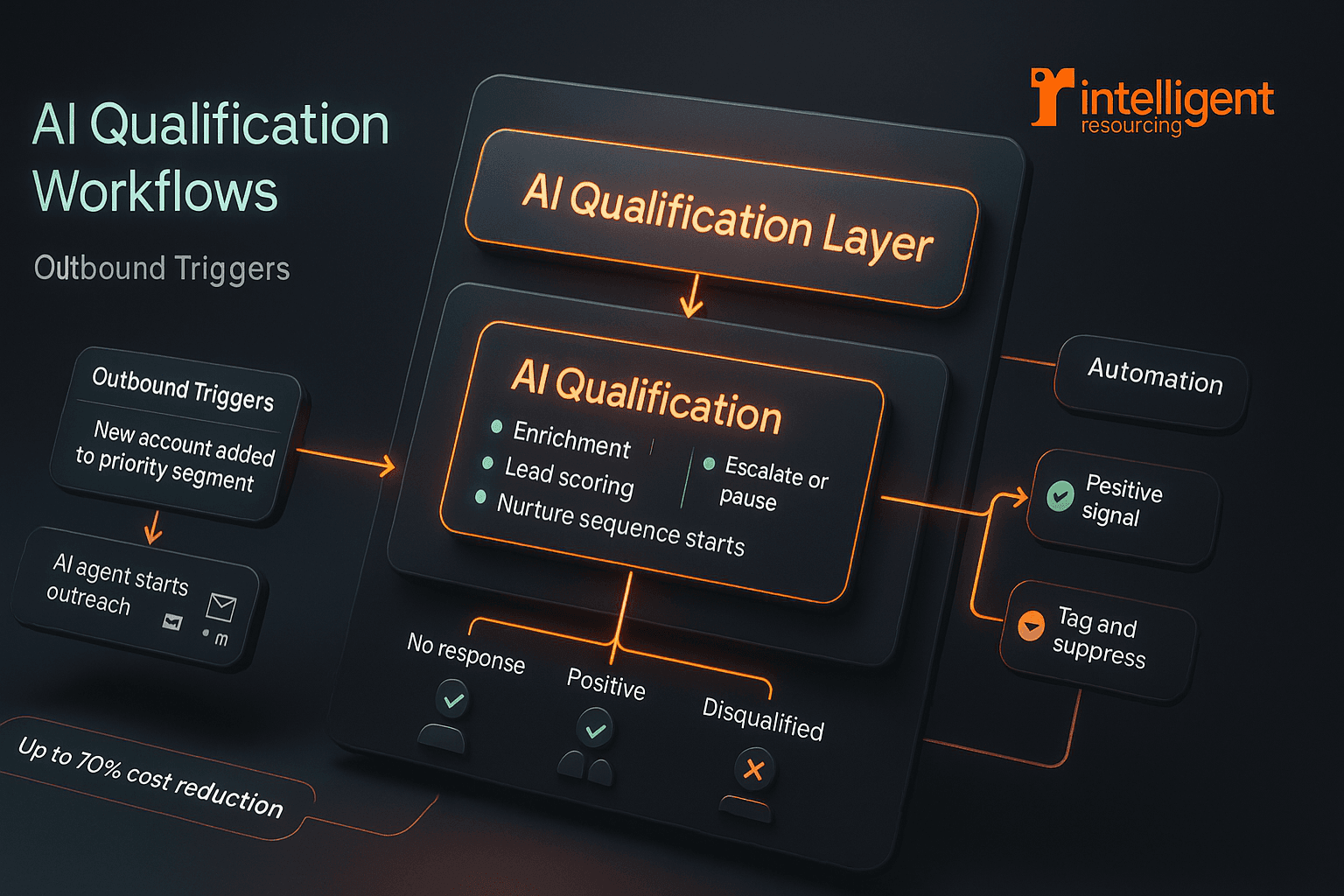
Prospecting automation begins with trigger logic. Examples include:
Outbound: A new account is added to a priority segment → AI agent begins cold outreach
Inbound: A prospect downloads gated content → nurturing sequence begins
These triggers can be tied to contact creation, form submissions, or even firmographic filters. Learn more about how we implement signal-based automation to reduce wasted outreach and target high-intent buyers.
Using AI tools for qualification, enrichment, and early engagement
Modern AI agents can:
Enrich lead records with job title, company data, and tech stack
Score leads based on fit and behaviour
Start conversations via email or LinkedIn
75% of organisations globally use sales automation, with 61% of B2B firms already on board. For more on these AI capabilities, explore AI-Driven Sales Prospecting: How Intelligent Agents Are Transforming B2B Sales.
Designing follow up logic for no-response, interest, or disqualification
Branch your follow-ups depending on engagement:
No response → escalate frequency or pause outreach
Positive signal (link click or reply) → notify SDR or assign task
Disqualified → tag and suppress from future sequences
Critical stat: Leads are 21 times more likely to convert if contacted within 5 minutes, yet 44% of sales reps stop following up after just one attempt.
Segment by account type, deal size, readiness, or buying intent
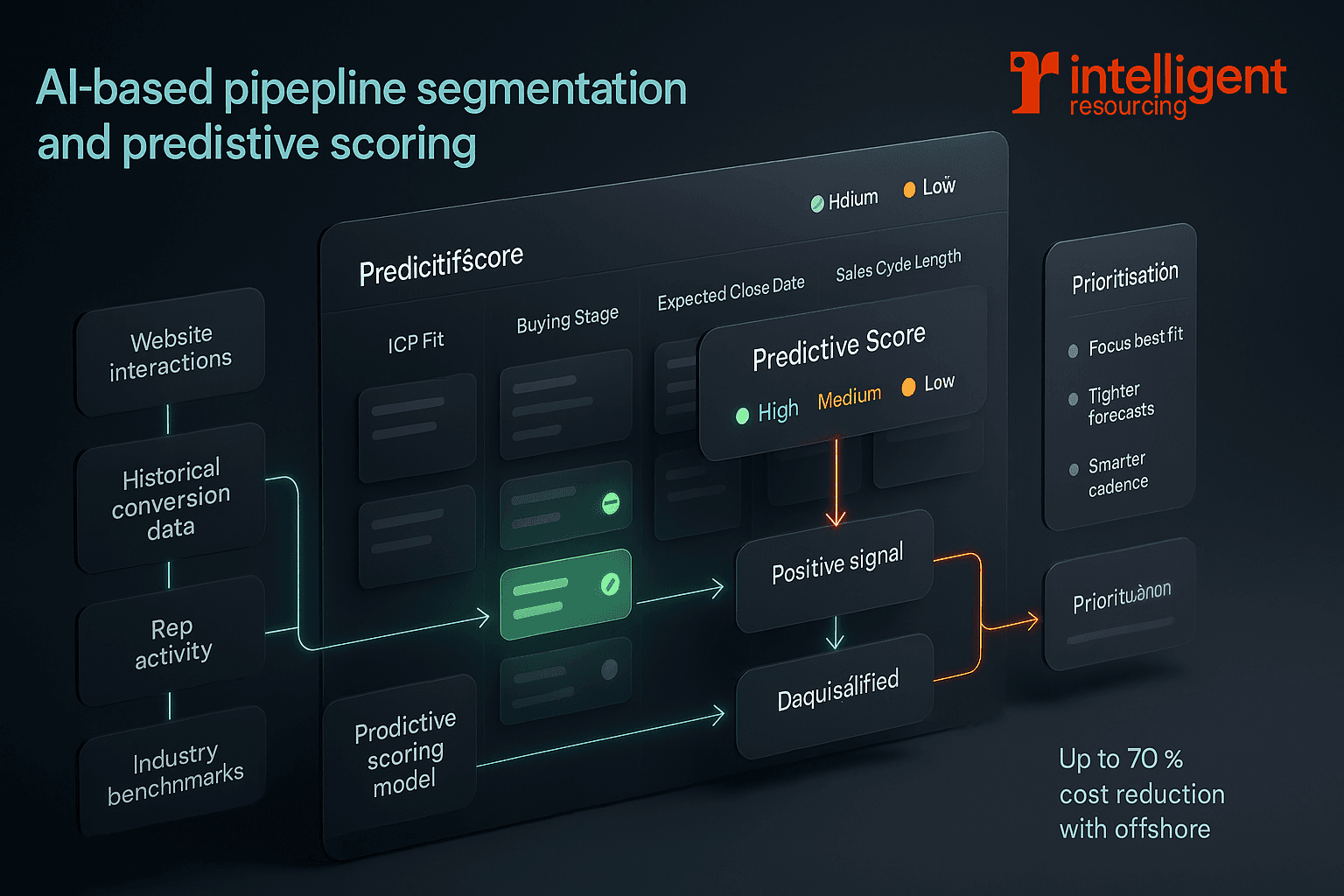
AI-based segmentation allows you to sort your pipeline not just by stage, but by:
ICP fit
Buying stage
Expected close date
Sales cycle length
This improves forecast visibility and helps tailor outreach cadence and team focus. CRM systems with AI features see 34% of businesses reporting exceptional customer service compared to those without.
Predictive scoring models used in B2B contexts
CRMs like Salesforce and HubSpot now offer predictive lead scoring based on:
Website interactions
Historical conversion data
Rep activity
Industry benchmarks
Scoring models improve prioritisation, letting you focus on deals with the highest likelihood to close. In fact, 81% of companies report that adopting sales automation has improved lead generation quality and quantity.
How segmentation improves forecasting accuracy
When pipeline segments are clearly defined and scored, forecasting becomes more accurate. AI tools can apply weighted probabilities, giving RevOps leaders real-time snapshots of:
Total pipeline value
Committed vs best-case revenue
Likely deal slippage
See more forecasting-focused features in CRM Automation Features That Improve Pipeline Management and Forecast Accuracy.
Step 4: Set Up CRM Automation to Maintain Pipeline Hygiene
Automating admin tasks: follow-up tasks, reminders, handovers
CRM workflows can:
Create tasks when emails go unopened
Notify AEs when leads hit a qualification threshold
Assign onboarding steps when deals close
This reduces forgotten tasks and ensures deals move forward without constant manual input. Sales reps spend 19% of their time just updating CRMs, time that could be better spent selling.
Rules for data enrichment and contact updates
Automated rules should:
Pull updated job titles or company info
Validate email domains
Merge duplicate contacts
Automation platforms or native CRM tools can handle this as background processes. Companies boost conversion rates by up to 300% when leveraging CRM systems effectively.
Flags for stalled deals and risk indicators
Set rules to:
Flag deals inactive for X days
Highlight deals missing key data (e.g., no next step)
Notify managers if pipeline activity falls below target
This proactive view supports better resource planning and avoids end-of-quarter surprises. Our GTM Engineering services specialise in building these intelligent systems that detect live buying signals and trigger appropriate actions.
Step 5: Connect Prospecting Tools to CRM for Unified Reporting
Sync requirements for tools like HubSpot, Salesforce, Outreach, Apollo
Ensure two-way sync is:
Bi-directional (data flows both ways)
Real-time (or near real-time)
Field-mapped correctly (especially for lead source and lifecycle stage)
This prevents data loss and ensures reporting reflects current activity. 87% of CRM systems are now cloud-based, enabling better integration capabilities.
Workflow triggers that depend on two-way sync
Many automation triggers rely on this sync:
AI agent stops messaging when a deal is marked as "in conversation"
CRM creates a task when an email is replied to in Outreach
Lifecycle stages change when MQL becomes SQL
Without a working sync, these workflows can break. Learn about our signal-based infrastructure approach that proves marketing is driving pipeline, not just engagement.
Common integration problems and how to fix them
Common issues:
Fields not mapped correctly
Duplicate contact records
Delayed sync causing missed triggers
Fixes include API audits, using middleware like Zapier, or choosing native integrations. See How to Integrate Prospecting Tools With Salesforce & HubSpot the Right Way for a full guide.
Step 6: Monitor, Refine, and Scale
Reviewing workflow performance weekly
Track metrics like:
Email reply rates
Time in stage
Drop-off points in sequences
Forecast accuracy vs actuals
Review and refine workflows based on outcomes not assumptions. Teams that embrace AI-driven automation see a 76% boost in win rates and a 79% improvement in overall team profitability.
Updating logic based on buyer behaviour
If leads are disengaging at step three of a sequence, or reps are skipping CRM tasks, your logic needs adjustment. Consider:
Changing follow-up timing
Splitting workflows by persona
Automating based on new buyer signals
Scaling workflows across teams or regions
Once validated, workflows can be cloned and adjusted for:
Different verticals
Regional sales teams
Language preferences
Use workflow templates to maintain consistency across large teams while enabling local variation. At Intelligent Resourcing, we also help businessesscale efficiently with offshore teams that work inside your systems reducing costs by up to 70% without sacrificing quality.
Frequently asked questions
What tools are needed to automate a sales pipeline?
You'll need a CRM with workflow automation (e.g., Salesforce, HubSpot), a sales engagement platform (e.g., Outreach or Apollo), and optional AI tools for prospecting, enrichment, and scoring. The global CRM market is projected to reach $163.16 billion by 2030, reflecting widespread adoption.
How do AI agents fit into automated prospecting workflows?
AI agents handle early-stage tasks data enrichment, outreach messaging, lead qualification and trigger CRM workflows once a lead engages or reaches a score threshold. 65% of businesses already use CRM systems with generative AI, and they're 83% more likely to exceed sales goals.
How often should workflow rules be reviewed?
Ideally, review every month and after major campaign launches. Top teams also do weekly quick checks on performance metrics to adjust message timing or logic. 72% of B2B sales organisations will transition from intuition-based to data-driven selling by 2026.
How do automated handovers reduce admin time?
Workflows can assign tasks, change ownership, or send notifications when a lead reaches a key stage removing the need for manual updates or Slack nudges. This is crucial when sales reps spend over one-third of their time on administrative duties.
What are the risks of poorly mapped pipeline stages?
Confusing or inconsistent stage logic causes automation errors, inaccurate forecasts, and friction during handovers. Standardisation is key. Remember, 50% of CRM projects fail because of poor cross-functional coordination.
Ready to Replace Operational Chaos with a Predictable Revenue Engine?
Manual prospecting and "guesswork-based" pipelines are the biggest bottlenecks to scaling in 2026. At Intelligent Resourcing, we help you move from scattered tools to an integrated growth system.
Whether you need a GTM Engineer to build signal-driven workflows or an Embedded Offshore Team to manage your operations at 70% lower cost, we provide the infrastructure for sustainable growth.
Schedule a strategy session to identify the signals and automations that will move the needle for your business.
Related Resources for Growth Leaders
GTM Engineering: Build Growth with AI Automation – Deep dive into how we build "done-for-you" signal-based systems that turn intent into sales.
What Exactly Does a GTM Engineer Do? – A guide to the hybrid role that bridges the gap between marketing ops and revenue engineering.
Signal-Based Lead Scoring Guide – Learn how to move beyond static data and use real-time buyer intent to power your CRM.
Outbound Sales Automation Best Practices for 2026 – Strategies for high-performing teams to eliminate manual effort and lift reply rates.
How to Integrate Prospecting Tools with Salesforce & HubSpot – Technical insights on building a seamless two-way sync between your outreach and CRM.