
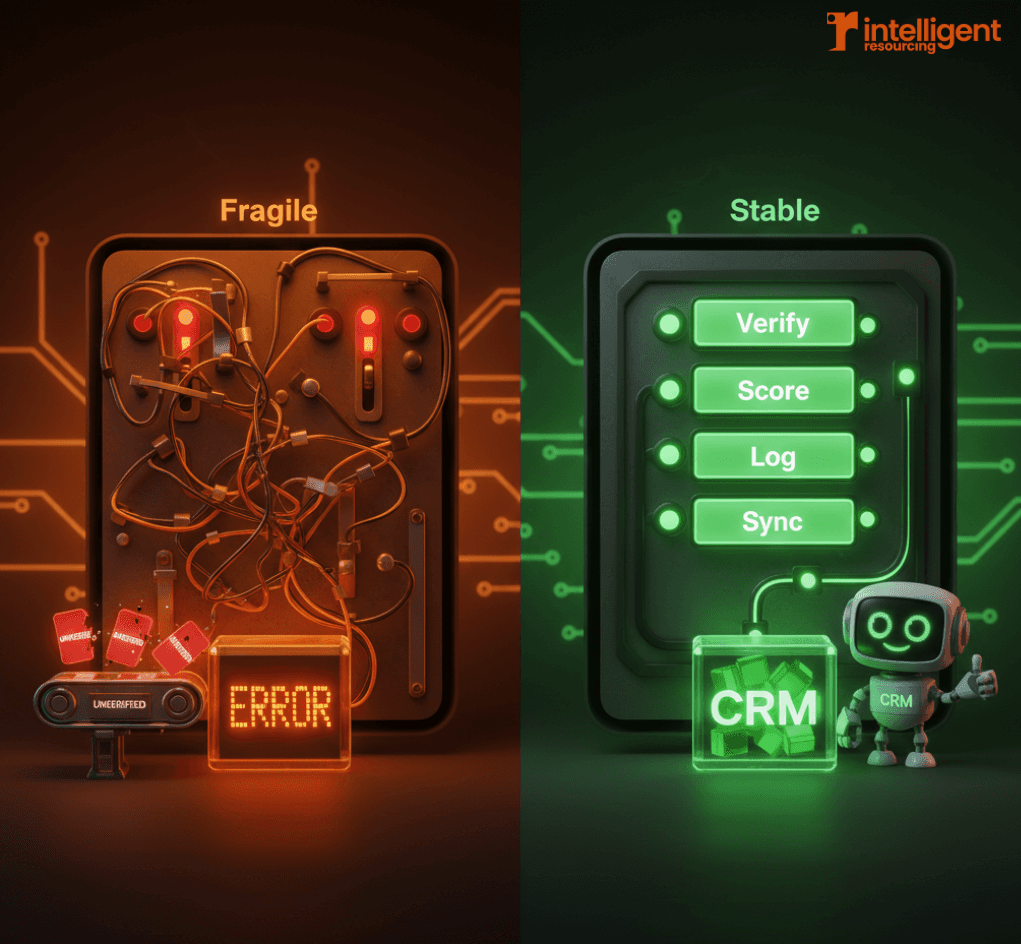
Early automation can feel like a win workflows fire, enrichment runs, leads activate. But as scale increases, so do the cracks. Data slips through without verification. SDRs get flooded with low-confidence leads. CRM updates start overwriting key fields. Sound familiar?
This is the tipping point where Clay workflows stop being convenient and start needing control. In this guide, we'll cover the Clay automation best practices that distinguish stable GTM systems from fragile ones. Because when comparing signal-driven GTM systems, reliability isn't a nice-to-have, it's the foundation.
Why Most Automation Breaks at Scale
It’s easy to ship a Clay workflow that works for ten leads a day. But at scale, things get messy fast. Logic overlaps. Verification steps are skipped. And systems start to conflict rather than cooperate.
The real issue? Teams optimise for speed instead of stability. They automate tasks without designing for scale. But automation without governance is just deferred failure.
Stable Clay automation comes from intentional design, with principles that enforce verification, clarity, and control as lead volume and stack complexity grow.
The Principles of Stable Clay Automation
Control Beats Convenience
It’s tempting to build “just one more” workflow for that new use case. But uncontrolled growth creates noise and redundancy. Stable systems rely on fewer, governed workflows with well-defined purposes.
Instead of 20 fragmented automations, aim for five modular workflows with clear responsibilities. This approach aligns with what successful GTM engineering teams implement to maintain system integrity.
Verification Before Action
The number one cause of automation failure? Acting on data that hasn’t been verified.
Without checks for email deliverability, role accuracy, or signal confidence, you're pushing noise downstream. Stable systems apply verification gates before any activation or CRM sync.
Predictable Behaviour Over Clever Logic
Complex logic may look impressive, but it’s harder to debug and maintain. Stable automation favours explicit, predictable paths even if they’re less elegant.
A simple, linear workflow with transparent conditionals will outperform a clever but opaque one every time.
Verification Gates in Clay Workflows

What a Verification Gate Actually Is
A verification gate is a checkpoint where a record must meet a predefined condition before moving forward. It's not a filter, it's a control mechanism.
If the record fails the check, it stops, retries later, or gets flagged. This prevents unqualified or low-confidence data from triggering downstream actions.
Common Verification Gates
Examples of effective gates include:
Email validation: must be verified and deliverable
Role confirmation: job title matches target personas
Company match confidence: domain and company name alignment
These checks ensure your CRM and outbound platforms receive only high-quality records. When implemented properly with signal-based workflows, verification gates become the foundation for revenue-generating automation.
Where Gates Should Sit in a Workflow
Verification gates belong at key failure points:
Before CRM sync: to avoid corrupting system-of-record data
Before outbound activation: to protect deliverability and SDR trust
For a closer look at signal-to-sync gating, see Automate B2B SaaS Outbound: Signal to CRM Sync with Clay.
Preventing Breakdowns in Outbound Automation
Why Outbound Is the First Thing to Break
Outbound automation is often the first casualty of scale. Why?
Volume pressure leads to premature activation
Deliverability risk increases from poor verification
CRM sync issues introduce misrouted or duplicate leads
The result? SDRs lose trust and go manual.
Using Clay to Reduce Outbound Fragility
Clay allows you to build buffer logic before outbound triggers:
Delayed activation based on lead scoring or signal quality
Conditional routing to Smartlead or nurture queues
Fallback logic when enrichment fails or SDR capacity is low
This keeps your sequences lean, relevant, and trusted. For teams building signal-based marketing workflows, these buffers are critical to maintaining system reliability.
Designing for SDR Trust
When outbound systems are unpredictable, SDRs disengage. Stable workflows with clear logic and high-confidence leads improve adoption and reduce manual rework.
As covered in Build Signal-Based Lists With Clay Prospecting for SaaS, a system your team can trust is one they'll actually use.
Audit Trails and Change Visibility
Why You Need an Audit Trail
RevOps needs to know why something happened not just that it did.
Audit trails support:
Debugging failures
Explaining CRM field changes
Maintaining governance at scale
Without them, every sync or trigger becomes a black box.
How to Build Audit Visibility in Clay
Clay allows for detailed visibility by:
Logging key workflow decisions
Tracking enrichment sources (e.g. “Clearbit vs Apollo”)
Capturing confidence scores alongside each update
This turns every data point into an explainable record. When combined with proper GTM engineering practices, audit trails become your competitive advantage.
Using n8n Orchestration for Reliability
When Clay Alone Is Enough
Many workflows live entirely inside Clay. If your system:
Ingests signals
Applies qualification
Enriches and verifies
Syncs to CRM and activates outbound
…then Clay’s native logic is more than capable.
When to Introduce n8n
Use n8n when workflows:
Span across time (e.g. retry logic over days)
Require external QA checks or human input
Involve orchestration across multiple APIs
With n8n, you gain retry protection, error logging, and conditional branches outside of Clay's native flow. This is particularly valuable for complex GTM engineering implementations.
Avoiding Over-Engineering
n8n adds power, but use it wisely. Clay should remain the decision layer. Let n8n handle flow control and retries not logic duplication.
To learn how Clay integrates safely with CRM platforms, read Clay + HubSpot/Salesforce: Sync and Field Mapping Guide.
Example: A Stable Clay Automation Pattern
Here’s a repeatable design used by scalable teams:
Signal Ingestion
Lead enters via funding data, hiring signals, or product usage.Qualification Logic
Clay applies ICP rules and role checks.Verification Gates
Checks for email validity, role match, and duplicate status.Conditional Enrichment
If verified, enrich with sources like Apollo or Clearbit.Controlled CRM Write-Back
Update only if confidence thresholds are met. Use audit fields.Outbound Activation
Trigger Smartlead or nurture flow only after all gates are passed.
This is not a script. It's a pattern used again and again for stable GTM systems. For teams looking to implement this pattern, understanding which GTM engineering tools to invest in is crucial for success.
Common Clay Automation Anti-Patterns
No verification gates
Records move based on presence, not quality.Two-way CRM sync everywhere
Manual CRM edits overwrite clean data from Clay.Overlapping workflows
Multiple automations touch the same record in conflict.Manual fixes hide system flaws
SDRs “clean up” broken automation instead of solving root issues.
How Best Practices Enable Scale Without Headcount
When automation is stable:
RevOps makes fewer manual interventions
SDRs waste less time on data triage
GTM leaders get predictable pipeline contribution
According to McKinsey, teams that adopt workflow governance principles see up to 30% improvement in sales productivity and reduce automation maintenance by 40% (McKinsey, 2024).
As explained in Scale With Clay GTM Workflows: Build Reliable Systems, stable systems don't require more people, just better design.
Stability Is Designed, Not Discovered
No workflow stays stable by chance. The most reliable GTM systems are designed to stay reliable, with gates, scores, logs, and orchestration built in.
Clay isn’t just an automation tool it’s a platform for controlled system design. If your workflows are breaking, the solution isn’t more logic. It's a better design.
Audit your workflows. Apply verification. Build fewer, better systems.
Ready to Engineer Stability Into Your Automation?
Don't let fragile workflows hold back your growth. At Intelligent Resourcing, we specialise in building stable, signal-driven GTM systems that scale without breaking.
We help you:
Design verification gates that protect data quality
Build audit trails that enable fast debugging
Implement Clay workflows that your team actually trusts
Reduce manual RevOps intervention by up to 40%
Transform scattered tools into unified revenue systems
Whether you need a full GTM engineering implementation or expert guidance on Clay automation, we turn operational chaos into predictable systems.
Schedule a Strategy Call to discover how we can engineer stability into your automation and unlock predictable pipeline growth.
Frequently Asked Questions
What’s the biggest cause of Clay automation failure?
Lack of verification. Acting on unverified signals leads to CRM errors and outbound noise.
Should every Clay workflow include audit logging?
Yes. Logs enable RevOps to trace actions, fix issues quickly, and maintain governance.
When should I use n8n with Clay?
When workflows span multiple steps or tools, require retry logic, or need time-based orchestration.
Can Clay help reduce SDR workload?
Absolutely. Stable workflows reduce admin load by automating QA, enrichment, and routing steps.
What’s a verification gate in Clay?
A checkpoint that stops or delays a workflow until confidence thresholds are met—such as email deliverability or role match.
How do I know if my automation is over-engineered?
If workflows are hard to debug or require manual fixes often, it’s time to simplify logic and enforce gating.
Related Resources
Essential Reading for Clay Automation Success
Signal-Based Marketing Foundations:
What Is Signal-Based Marketing and How Does It Work: Understand the core principles behind effective Clay automation
How to Use Online Signals to Generate More B2B Leads: Learn to capture and route signals effectively
How Do Signal-Based Marketing Workflows Turn Intent Into Revenue: Master real-time workflow activation
Scale With Clay GTM Workflows: Build Reliable Systems
AI Content Platforms for Marketers: How GTM Engineers Keep Output On-Brand and On-Signal
Cost Per Lead in Australia: Why Most B2B Benchmarks Are Misleading
How to Generate Scalable Inbound Leads for B2B Using Signal Workflows