

Why does scaling GTM fail without workflow design?
GTM scales fail when growth gets stacked on a reactive collection of point solutions: a sequencer here, an enrichment tool there, a CRM that nobody trusts, and a spreadsheet bridging the gaps. Each layer works in isolation; together they multiply data conflicts and broken handoffs. The cost is not theoretical.
Fivetran's 2024 AI data-quality survey (550 respondents across the US, UK, Ireland, France, and Germany) found organisations lose 6% of annual revenue to poor data quality, averaging $406M on a $5.6B revenue base. That is the real cost of "we will fix the data later" running across every CRM record, every enrichment field, and every routing decision.
What makes a GTM workflow reliable?
A reliable GTM workflow ships the same outcome on the same input every time. It is operable by a team, not only by the person who built it. Three principles run through every reliable Clay workflow.
Predictability over speed
Speed is what most teams chase first. Predictability is what makes pipeline forecastable. A workflow that ships 100 records per hour with three weird edge cases is less useful than one that ships 60 records per hour with zero. Predictability is the precondition for delegation, governance, and any kind of clean reporting.
Verification before activation
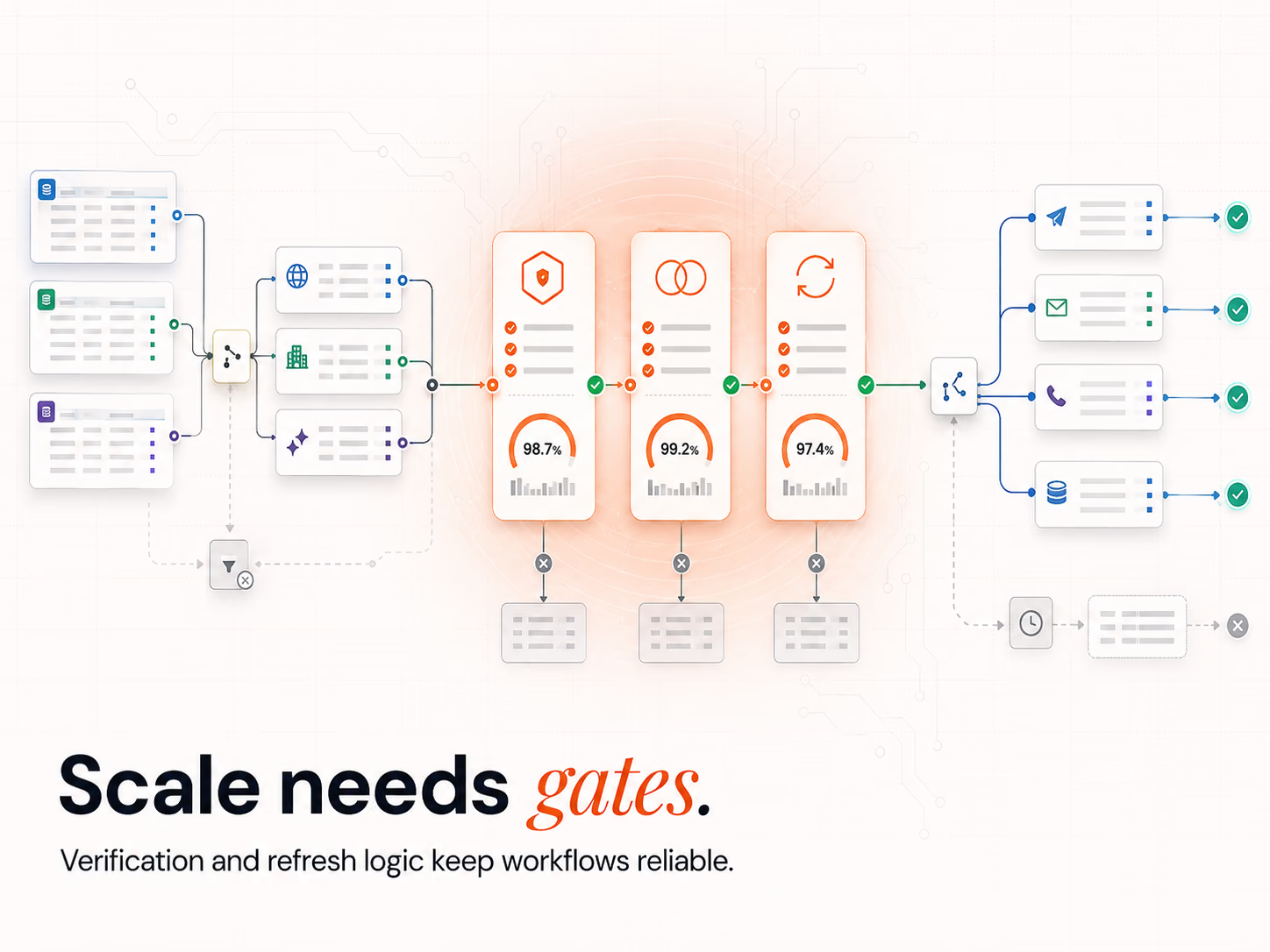
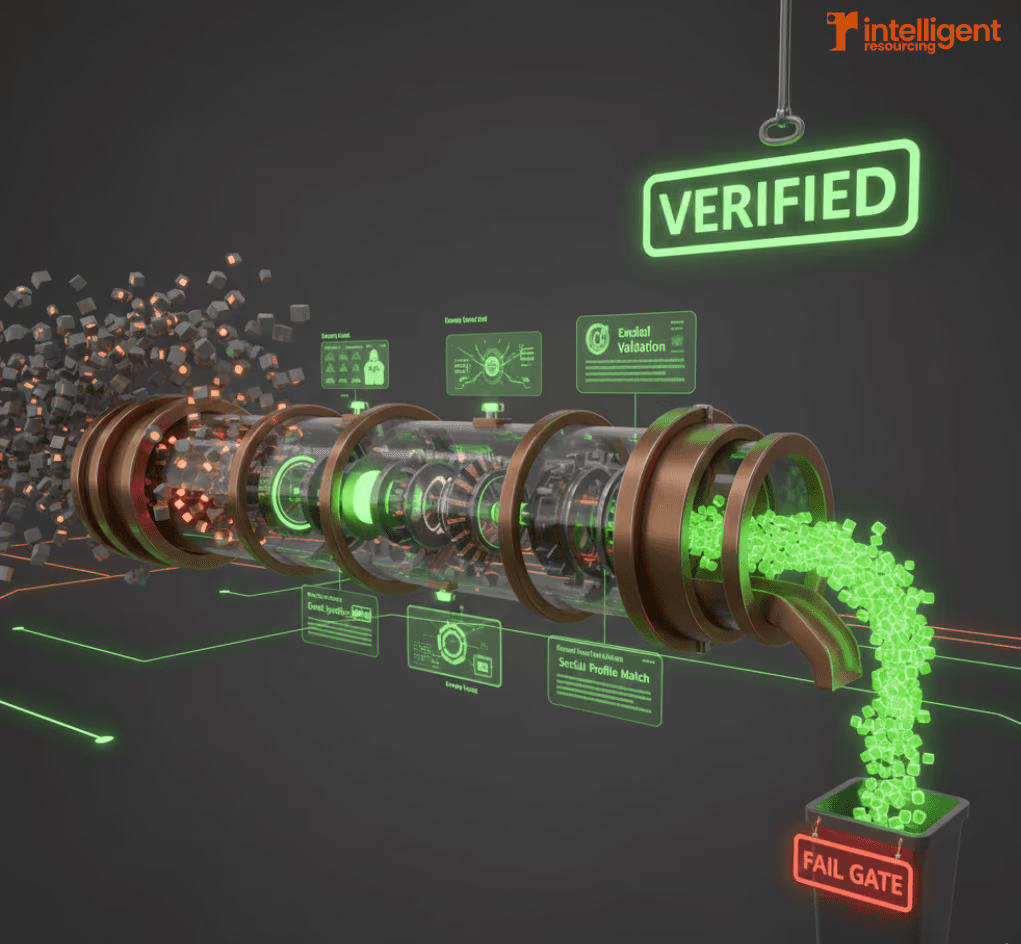
Every record passes a verification gate before any downstream action fires. Email format and domain integrity are checked. Catch-all domains are flagged. Enrichment fields are confirmed against a second source where the first is borderline. Failed records route to a manual-review queue, not to the sequencer. The gate is the cheapest insurance in the entire stack.
Single source of control
Routing logic lives in one place, not seven. If a record matches an enterprise ICP, it gets routed and tagged the same way every time, regardless of which inbound entry point delivered it. Centralised logic is what stops "we have three definitions of an MQL" from showing up at month-end.
What makes Clay the GTM orchestration layer?
Clay sits between your data sources, your CRM, and your activation tools (sequencers, ad platforms, sales workflows). It is not a CRM. It is not an enrichment provider. It is the routing and verification layer that decides which records go where, and on what conditions. The distinction matters because most "Clay agency" work confuses orchestration with execution, then wonders why the engine drifts.
From signals to actions
A Clay workflow ingests signals (form fills, intent data, behavioural triggers, job changes, funding events), runs them through verification, enriches missing fields, deduplicates, and writes the activated record to the next system. The orchestration is what turns raw signals into actions that the rest of the stack can execute reliably.
Orchestrating multi-tool stacks
Most B2B teams run six to ten GTM tools. Clay sits in the middle and integrates each one through APIs or native connectors. The Clay-to-n8n API workflows guide covers the orchestration patterns we use when the stack runs past native integrations.
Why orchestration reduces stack fragility
Point-to-point integrations break independently. A single orchestration layer fails predictably (you know where to look) and recovers cleanly (you fix it once). Centralising the logic does not eliminate failure; it bounds it.
What are the core Clay workflow building blocks?
Three building blocks recur across every reliable Clay workflow we have shipped.
Verification gates
Format checks, domain checks, MX-record validation, catch-all flagging, sender-reputation checks. Failed records do not silently drop; they route to a review queue where a human decides. Most Clay outages we see come from missing verification gates rather than from the tool itself.
Deduplication and identity control
Dedupe runs on confidence thresholds, not exact matches. A record matching on company plus email plus job title is the same person. A record matching only on email could be a stale alias. Setting the threshold per workflow stops the CRM from collecting duplicate ghosts.
Sync cycles and refresh logic
Records refresh on a schedule, not on every read. Daily refresh on hot accounts, weekly on warm, monthly on the long tail. The schedule keeps the database current without burning enrichment credits on records nobody will touch this quarter.
How do you design Clay workflows for scale, not just launch?
Scale exposes assumptions that launch hides. The workflows that work at 100 records a day often crack at 10,000. Design for the scale you are trying to reach, not the scale you start at.
What breaks first as volume increases
Provider rate limits trip first. Then deliverability hygiene drops. Then duplicates start outpacing the dedupe logic. Then refresh cycles fall behind. Then the manual review queue grows past what the team can clear weekly. Design countermeasures for each break point before you hit it, not after.
How Clay enables scalable QA
Brevo's 2026 Marketing Orchestration Benchmark (across 175,000+ customers, 2025 data) put automation open rates at 30.63% versus 20.73% for standard sends, with click rates at 7.39% vs 2.27%. The lift is real, but it depends on the records reaching the inbox having passed verification. Without QA, automation just amplifies bad data faster.
Capacity planning through workflow design
Cap the volume each downstream tool can absorb. If the SDR team can work 300 leads a week, the workflow throttles to 300, not 3,000. Capping at the source preserves response quality and avoids burnout on the human side of the system.
Example: a scalable Clay GTM workflow blueprint
- Signal ingest: web form, intent data feed, job-change webhook, list import.
- Verification gate: format, domain, MX, catch-all flag.
- Enrichment waterfall: primary provider, secondary fallback, tertiary AI research.
- Dedupe: confidence threshold against existing CRM records.
- Routing: ICP scoring routes high-fit to AEs, medium to SDRs, low to nurture.
- Activation: write to HubSpot, push to Smartlead or Salesloft, alert the rep on intent triggers.
- Refresh loop: rerun the relevant gates on a scheduled cadence based on account tier.
What are the most common Clay workflow mistakes?
Five failure patterns show up across most teams. Each is preventable if the workflow is designed for the scale you actually want to reach.
- Treating Clay as a CRM. Clay does not own lifecycle state or pipeline reporting. HubSpot or Salesforce does. Clay orchestrates between them.
- Skipping verification gates. Records flow to the sequencer with no quality check. Sender reputation drops, replies decay, the team loses trust in the data.
- Wiring tools point-to-point inside Clay. Every integration runs as its own table with no shared logic. Maintenance scales exponentially.
- Letting one operator own the entire workspace. When that operator leaves, the system is unsupportable. Document and version like code.
- Treating enrichment as a one-off. Records decay daily. Without a refresh cadence the database falls behind reality inside a quarter. Run an Evergreen CRM hygiene cycle continuously.
How does this connect to the rest of your GTM stack?
A Clay workflow is one component of a wider GTM operating model. Signal capture feeds lead scoring. Lead scoring feeds routing. Routing feeds outreach. Outreach feeds the CRM. Each layer compounds when wired correctly. Demandbase's CyberArk ABX case study shows what compounding looks like at scale: 4x close rates on high-propensity accounts, with 3% of target accounts producing over a third of total pipeline. That is what signal-led orchestration produces when the layers connect.
Most teams cannot wire this themselves at the depth Clay rewards. The Intelligent Resourcing Clay practice designs, builds, and embeds operators to run the engine inside the client stack, so the system stays after the engagement ends.
Clay Workflows
If your Clay setup feels like a fragile collection of tables rather than a predictable revenue engine, it is time to engineer the operating layer underneath. The Revenue Operations Studio at Intelligent Resourcing builds signal-driven Clay workflows that verify, dedupe, and route records into HubSpot or Smartlead reliably.
FAQs
What is a Clay GTM workflow?
A system that routes a buyer signal through a verification gate, an enrichment waterfall, a deduplication check, and an activation step (typically writing into the CRM and triggering an outreach sequence). Clay sits in the middle as the orchestration layer; the CRM, enrichment providers, and sequencer remain their own systems.
How does Clay improve outbound automation?
It only ships verified, deduplicated records to the outbound tool, which protects sender reputation and lifts reply quality. The workflow also branches on signal strength, so high-intent records reach a rep faster while lower-intent records route to nurture.
Can Clay replace my CRM or my enrichment tool?
No. Clay is the orchestration layer, not a CRM or enrichment source. It calls enrichment providers (Breeze Intelligence, formerly Clearbit; ZoomInfo; Cognism; AI research), verifies the output, and writes the cleaned record to your CRM. HubSpot or Salesforce still owns lifecycle state.
How does Clay prevent bad data from entering the CRM?
Verification gates run before any write. Format checks, domain checks, MX validation, catch-all flags, and a fail-safe queue catch most issues. Deduplication runs on confidence thresholds, not exact matches, so duplicates are caught even when the data is slightly inconsistent.
What is Clay's advantage over native CRM integrations?
Native integrations are point-to-point: each new tool means another connection, another sync rule, another place to debug. Clay centralises the logic in one orchestration layer so the rules live in one place and the failure surface is bounded.
How do I get started with a Clay GTM workflow?
Start by ingesting one or two high-value signals (form fills, intent data, job changes). Define the verification gate that records must pass. Build the routing branch for high-fit versus low-fit. Wire the activation step. Validate on a sample list. Then expand to additional signals and additional channels.