
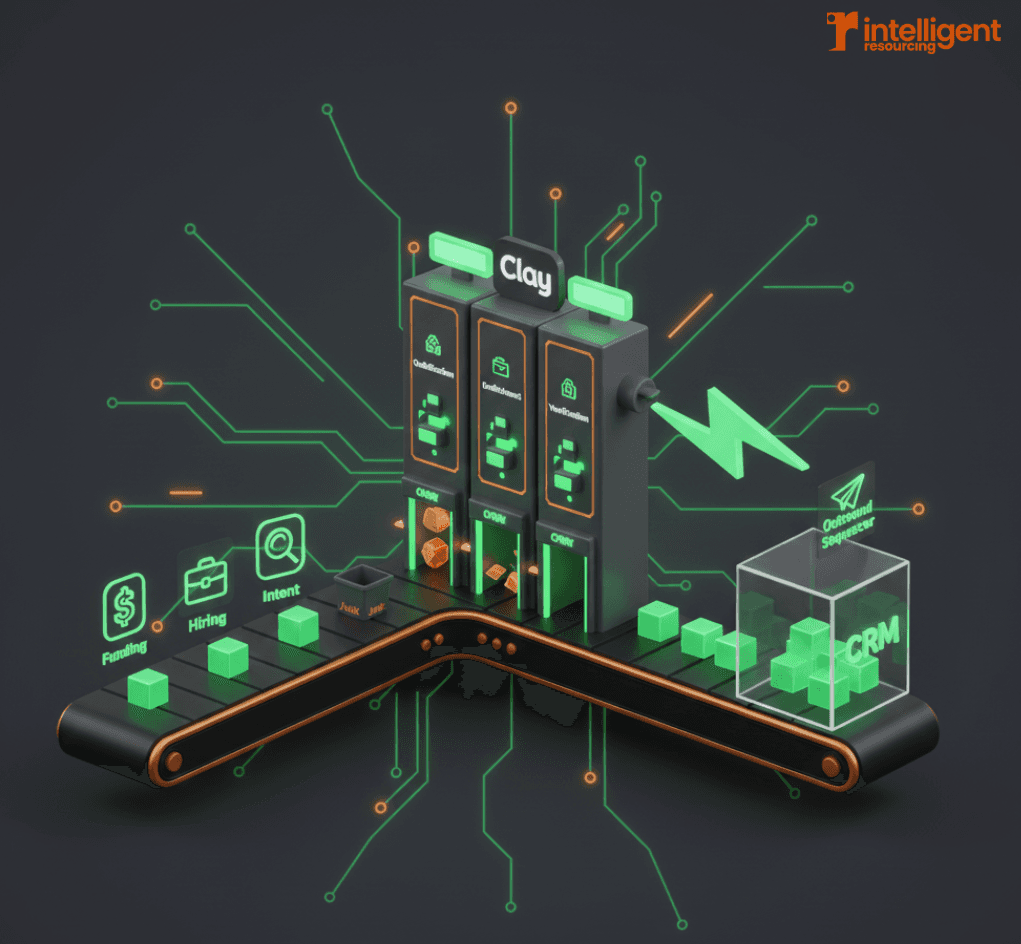
Most B2B SaaS outbound strategies still rely on outdated mechanics: bulk list uploads, static sequences, and basic triggers. But these workflows tend to break at scale especially when signals are missed, CRM sync fails, or SDRs are forced to act as quality control. If you want to scale without increasing headcount, automation alone won’t cut it.
This guide shows how to automate B2B SaaS outbound with Clay using signal-driven workflows that start with buyer intent and end with CRM-safe activation. With Clay as the orchestration layer, you can replace fragile automations with engineered systems that maintain quality from signal to sync.
Why Most B2B SaaS Outbound Automation Breaks
Outbound automation often fails not from lack of tooling, but because of poor sequencing. Static lists and time-based sequences ignore buyer behaviour. Zapier-style workflows can trigger off weak signals and push half-qualified leads into CRM damaging data trust and reply rates.
The biggest risks come from broken syncs, duplicate creation, and premature activation. Once bad data hits the CRM, it’s hard to fix.
Instead of leading with cadence tools or enrichment, modern SaaS outbound should begin within a signal-driven GTM system, one where outbound is a response to qualified, verified signals.
What “Signal to CRM Sync” Actually Means
Defining Signals in Modern SaaS Outbound
In a signal-led motion, prospecting doesn't start with lists. It starts with events. These signals can include:
Intent data: page views, keyword triggers, tool usage
Hiring/funding signals: new SDR hires, Series A raises
Product or lifecycle triggers: trials started, churn events, usage spikes
These inputs help teams decide who is worth contacting, when, and why. To learn more about capturing and using these signals effectively, see our guide on how to use online signals to generate more B2B leads.
Why Signals Must Route Logic, Not Just Trigger Emails
Using signals just to start a sequence is shortsighted. Signals should route logic across the entire workflow:
Should this lead be enriched?
Do they meet the ICP?
Has this person already been contacted?
Should the record be pushed to CRM or held for nurture?
Clay enables this decision-making through conditional branches, not just linear triggers. For teams looking to implement these workflows at scale, understanding what a GTM Engineer brings to your strategy can help accelerate execution.
Trigger-Based Outbound Logic in Clay
Building Conditional Triggers
Clay lets you define multi-layered trigger logic such as:
“Only enrich if hiring signal AND matched ICP title exists”
“Only sync if enrichment confidence > 85%”
“Only activate if role is verified AND Smartlead has capacity”
These ICP fit checks and validation steps ensure signals lead to quality activation, not noise.
Preventing Premature Activation
One of the most common failures is outbound triggered too early before data is verified, roles are confirmed, or timing is right.
With Clay, you can hold records in a workflow until they meet confidence thresholds. No email is sent, no CRM is updated, until the system is sure. This is critical for deliverability, SDR trust, and long-term pipeline quality.
For more on integrating Clay with your orchestration layer, explore Clay & n8n API workflows for GTM automation.
Lead Scoring and Activation
Scoring Leads Inside Clay
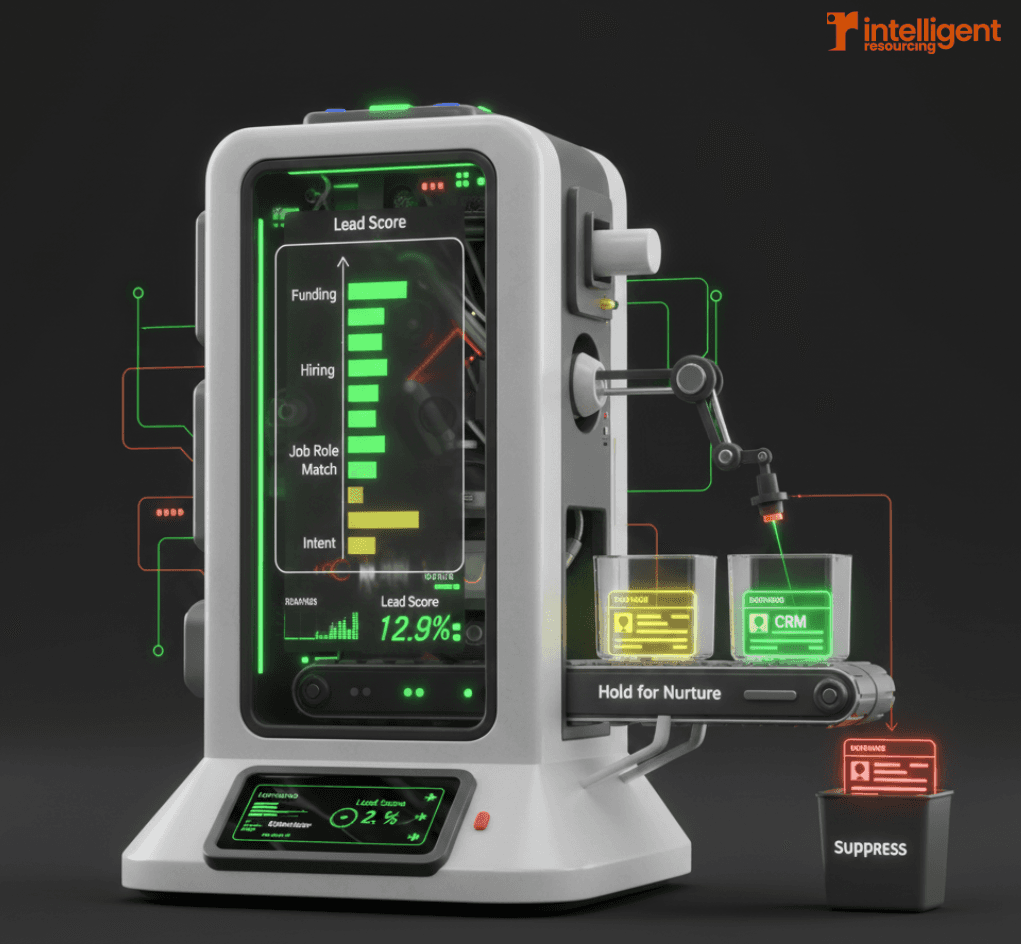
Clay lets you build adaptive scoring models based on:
Intent signal strength
Firmographic match
Enrichment confidence
Past engagement or lifecycle status
Scoring isn't static; it can update as new signals arrive. For example, a lead might gain points when a new job role is posted or drop if enrichment fails verification.
Routing Based on Score
Once scored, leads can be routed down different paths:
High-score: push to CRM and trigger outbound
Mid-score: hold for nurture or human review
Low-score: suppress to prevent sequence overload
You can also assign SDRs based on account territory, vertical, or buying signal type. Signal-based marketing workflows transform this routing into real-time revenue actions.
Activation Only After Verification
Activation shouldn’t just depend on score, it should depend on data trust. Clay uses verification steps such as:
Valid work email
Job title match
Enrichment field confidence
These filters ensure outbound starts from qualified leads only. To see how this plays out in practice, review our guide on Clay + Smartlead integration.
To explore how this links into routing workflows, visit Clay Lead Scoring Workflows.
CRM Sync Fail-Safes
Why CRM Sync Is the Highest-Risk Step
Even a strong outbound system can crumble at the CRM level. Risks include:
Duplicate contacts or accounts
Field overwrites that erase signal context
Lead routing based on incomplete or incorrect data
This is where most teams lose track of why a lead was activated and pipeline reporting suffers.
Using Clay as the CRM Gatekeeper
Clay becomes the gatekeeper for CRM updates by enforcing:
Write-back only when confidence is high
Conditional syncs (e.g. “only sync if new and validated”)
Field-level controls (e.g. “only update job title if blank”)
This turns sync into a managed process, not a firehose.
Preserving Signal Context in the CRM
Every record that enters the CRM should include:
The signal that triggered it
ICP qualification status
Confidence scores from enrichment
This data allows RevOps teams to audit workflows and report on pipeline sources accurately.
To see how Clay maps to tools like HubSpot and Salesforce, read Clay + HubSpot/Salesforce integrations.
Example: End-to-End SaaS Outbound Automation Workflow
Here’s a high-level system blueprint for outbound orchestration with Clay:
Signal Ingestion
Trigger from funding round, hiring event, or product usage milestone.ICP Qualification
Check company size, vertical, and presence of target roles.Conditional Enrichment
Only enrich if signals and ICP match. Pull multiple sources, score confidence.Lead Scoring
Combine firmographic, intent, and enrichment data into a weighted score.Verification Gates
Confirm email validity, job title, deduplication, and field-level confidence.CRM Sync
Write back with mapped fields and signal context only if criteria are met.Outbound Activation
Trigger Smartlead (or other platform) with a confidence-tagged messaging path.
This isn't a one-size-fits-all sequence, it's a living system. Learn more about building these systems in our comprehensive GTM engineering tools guide.
Common Outbound Automation Mistakes (and How Clay Fixes Them)
Triggering outbound on weak signals
Clay enables scoring and verification before activation, avoiding noise.Letting SDRs act as QA
Workflows do the validation, freeing SDRs to focus on conversation not data triage.Two-way CRM sync without controls
Clay supports one-way sync with logic filters, reducing overwrite and duplication risk.Overloading sequences with low-confidence leads
By setting enrichment and score thresholds, Clay keeps outreach clean and focused.
Understanding which signal-based marketing tools you actually need helps avoid these common pitfalls.
How This Workflow Scales Without Adding Headcount
Outbound volume can increase but only if quality and system load stay in check. Clay achieves this by:
Reducing admin work for SDRs (no lead triage, less manual checking)
Improving reply rates by activating only qualified, verified leads
Creating more predictable pipeline through signal-based sequencing
Research shows that sales teams using automation save an average of 12 hours every week, and companies implementing automation see up to 14.5% increase in sales productivity.
According to industry data, for every dollar invested in automation, companies are seeing an $8 return, with AI-powered automation delivering 10–20% increases in ROI. This only works when outbound is treated as a system, not a string of tools.
For companies ready to scale intelligently, understanding what a GTM Engineer does that you can't handle internally provides crucial context.
Reliable Outbound Comes From Orchestration
The promise of automation isn’t just speed, it's consistency. But without orchestration, even the best tools lead to mess: broken syncs, SDR frustration, and lost pipeline.
Clay makes outbound reliable by treating every stepsignal, enrichment, scoring, sync, and activation as part of one engineered system. Not a series of triggers. Not a stack of tools. A workflow.
If you’re serious about scaling outbound without adding chaos, start with orchestration.
Let’s talk about how your outbound engine can run smarter:
https://intelligentresourcing.co/contact
FAQs: Signal-Based Outbound Automation With Clay
What does “signal-to-CRM sync” mean in Clay?
It’s a workflow where external signals trigger qualification, enrichment, scoring, and only then write to CRM ensuring quality from first touch.
Can Clay replace Zapier-style outbound automations?
Yes. Clay builds orchestrated workflows that are more stable, transparent, and conditional, avoiding many of the pitfalls of basic automation.
How does Clay reduce bad leads entering outbound?
By using verification gates and scoring logic before triggering sequences. Leads must meet defined quality thresholds to activate.
What types of signals can Clay use?
Funding events, hiring data, CRM activity, intent signals, enrichment field changes, and product usage events.
How does Clay preserve signal context for reporting?
You can map signal source, score, and qualification status directly into CRM fields—making attribution possible all the way to revenue.
Is this setup hard to maintain?
Not if you build it with governance. Clay supports modular workflows, naming conventions, and testable branches to keep systems maintainable.
Related Resources & Further Reading
Clay Workflow Guides
Hidden Costs in Lead Generation: What Agencies Do Not Tell You About Pricing
What Is Marketing Content Automation: How to Scale Output Without Losing Brand Voice