

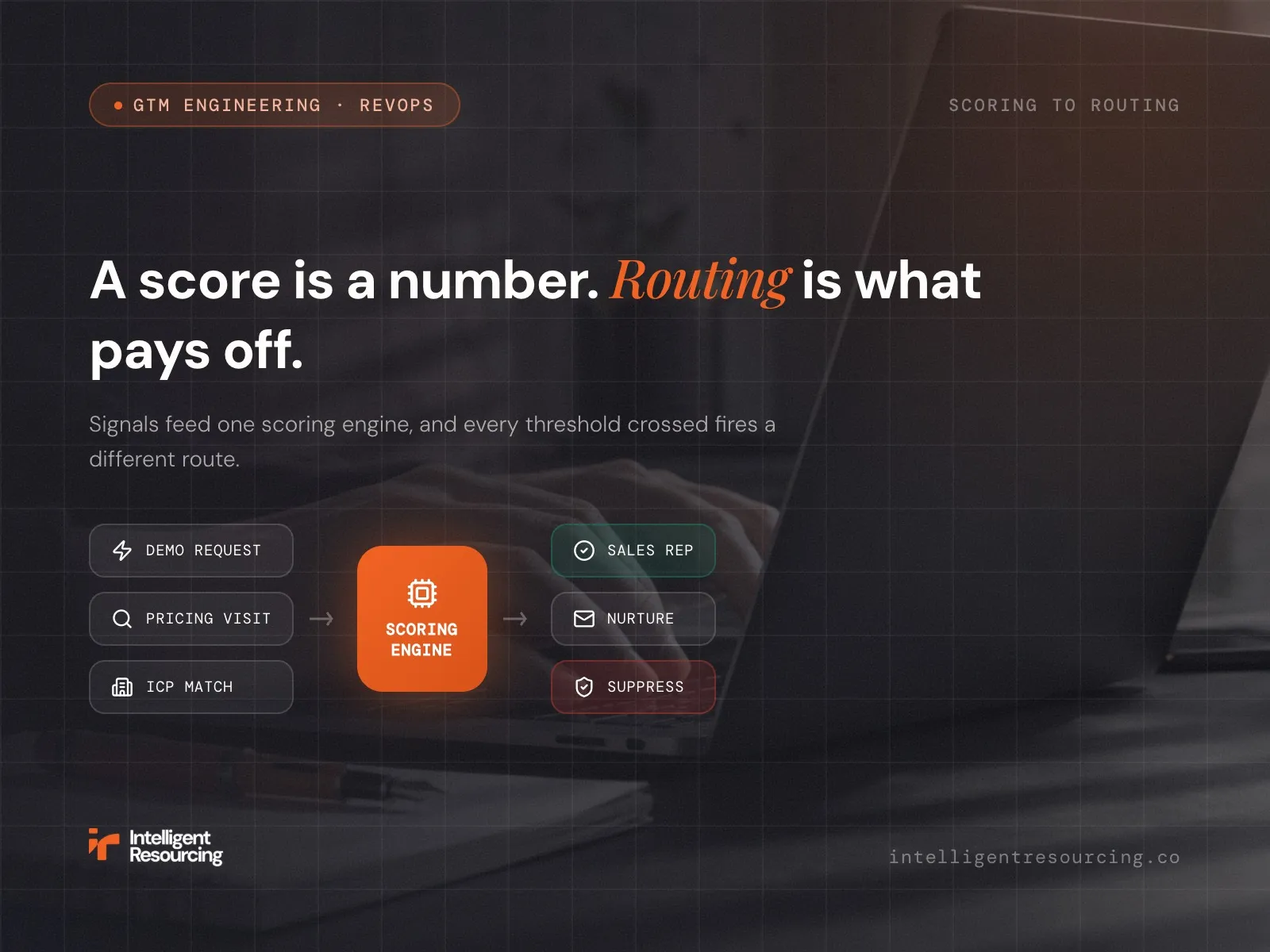
Automated lead scoring assigns point values to leads by fit and behaviour, then routes any lead that crosses a threshold straight to a rep without manual sorting. Scoring identifies the priority lead; routing turns that priority into action, and a score sitting on a dashboard with no routing behind it is not doing the job. Most B2B teams already score leads somehow, but few wire that score to an automated route, and the gap costs pipeline every week: fast buyers go cold in a shared inbox while good-fit accounts wait behind low-intent noise.
Intelligent Resourcing builds these scoring-to-routing systems as part of its GTM engineering work, modelling weights on closed-won data and wiring thresholds directly into Salesforce or HubSpot.
This will help you set out the seven-step build, the signals that actually predict revenue, and the failure modes that break most implementations.
What Is Automated Lead Scoring and How Does It Route Revenue?
Automated lead scoring evaluates each prospect against a combination of fit and behavioural signals, then assigns a score that reflects how likely they are to become a genuine sales opportunity. Once that score reaches an agreed threshold, the lead can be routed automatically to the right representative, which means scoring identifies where attention is needed while routing ensures that someone acts on it without delay.
This makes lead scoring a RevOps discipline rather than a standalone marketing tactic, because it gives Marketing and Sales a shared definition of what a qualified lead actually looks like. Fit signals might include job title, seniority, company size or industry, while behavioural signals can include demo requests, repeated pricing-page visits or other actions that suggest active buying intent.
ZoomInfo's 2026 guidance describes the score as the qualification trigger, with sales-ready thresholds often falling somewhere between 50 and 100 points depending on the model. The routing rule then determines what happens next, whether that means assigning the lead to a named account owner, placing it into a territory queue or sending it to the next available representative.
Without that routing layer, the score remains little more than a number on a dashboard, leaving salespeople to sort leads manually while high-intent buyers wait in a queue. When scoring, routing and ongoing management are designed as one connected system, a threshold crossing can trigger an immediate workflow, improve speed to lead and turn prioritisation into a measurable pipeline.
What Data Does a Lead Scoring Framework Use Across Demographic, Firmographic and Behavioural Signals?
A lead scoring framework combines demographic fit, firmographic fit and behavioural engagement to estimate whether a contact is both suitable and ready for sales attention. Negative scoring removes points from poor-fit or inactive contacts, which helps prevent false positives from consuming sales capacity.
- Demographic fit assesses the individual, using factors such as job title, seniority and budget authority to indicate whether they are likely to influence a purchase.
- Firmographic fit assesses the account, looking at company size, industry and geography to determine how closely it matches the ideal customer profile.
- Behavioural signals measure active engagement, including actions such as demo requests, pricing-page visits and content downloads that may indicate current buying interest.
Behavioural signals often receive greater weight because actions can reveal current intent more clearly than static attributes, although the balance should always reflect the company's sales model and closed-won data.
| Signal | Category | Example points | Routing implication |
|---|---|---|---|
| Demo request submitted | Behavioural / intent | +50 | Route immediately to Sales |
| Pricing-page visit within seven days | Behavioural / intent | +25 | Route if the threshold is reached |
| Decision-maker title, such as VP or above | Demographic fit | +15 to +25 | Prioritise for nurture below threshold |
| ICP industry and company-size match | Firmographic fit | +15 to +20 | Prioritise for nurture |
| Whitepaper or case study download | Behavioural | +20 to +25 | Add to the relevant nurture sequence |
| Competitor domain | Negative | -50 | Suppress from sales outreach |
| Student or job-seeker title | Negative | -30 | Suppress from sales outreach |
| No engagement for 14 or more days | Negative / decay | -20 | Move to a lower-priority tier |
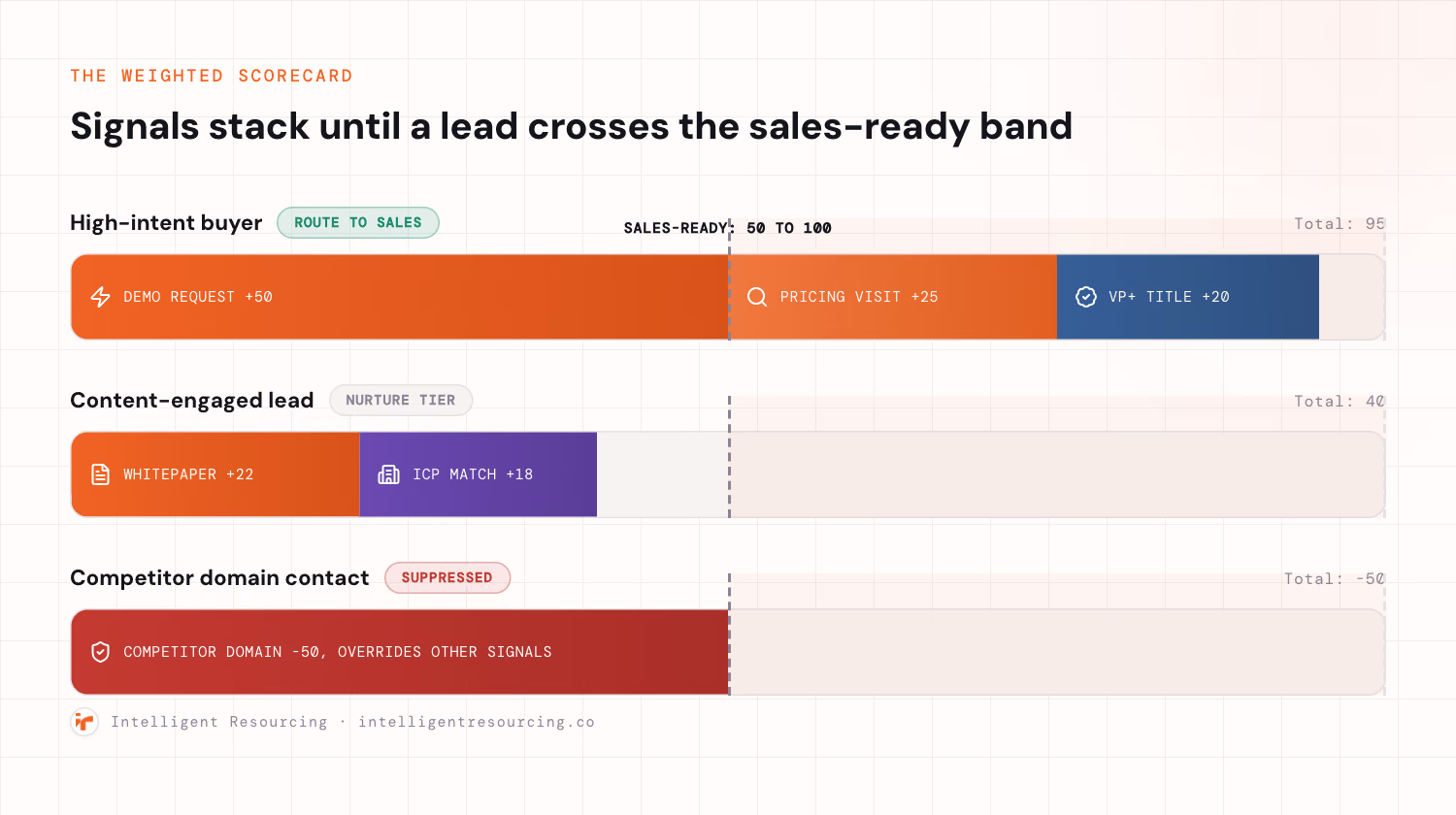
These values are starting examples rather than fixed benchmarks, because each weight should be validated against historical conversion and closed-won data. Negative scoring is especially important because it prevents outdated engagement, competitor research and poor-fit contacts from inflating the score and sending salespeople towards opportunities that are unlikely to convert.
How Do You Build an Automated Lead Scoring Model in Seven Steps?
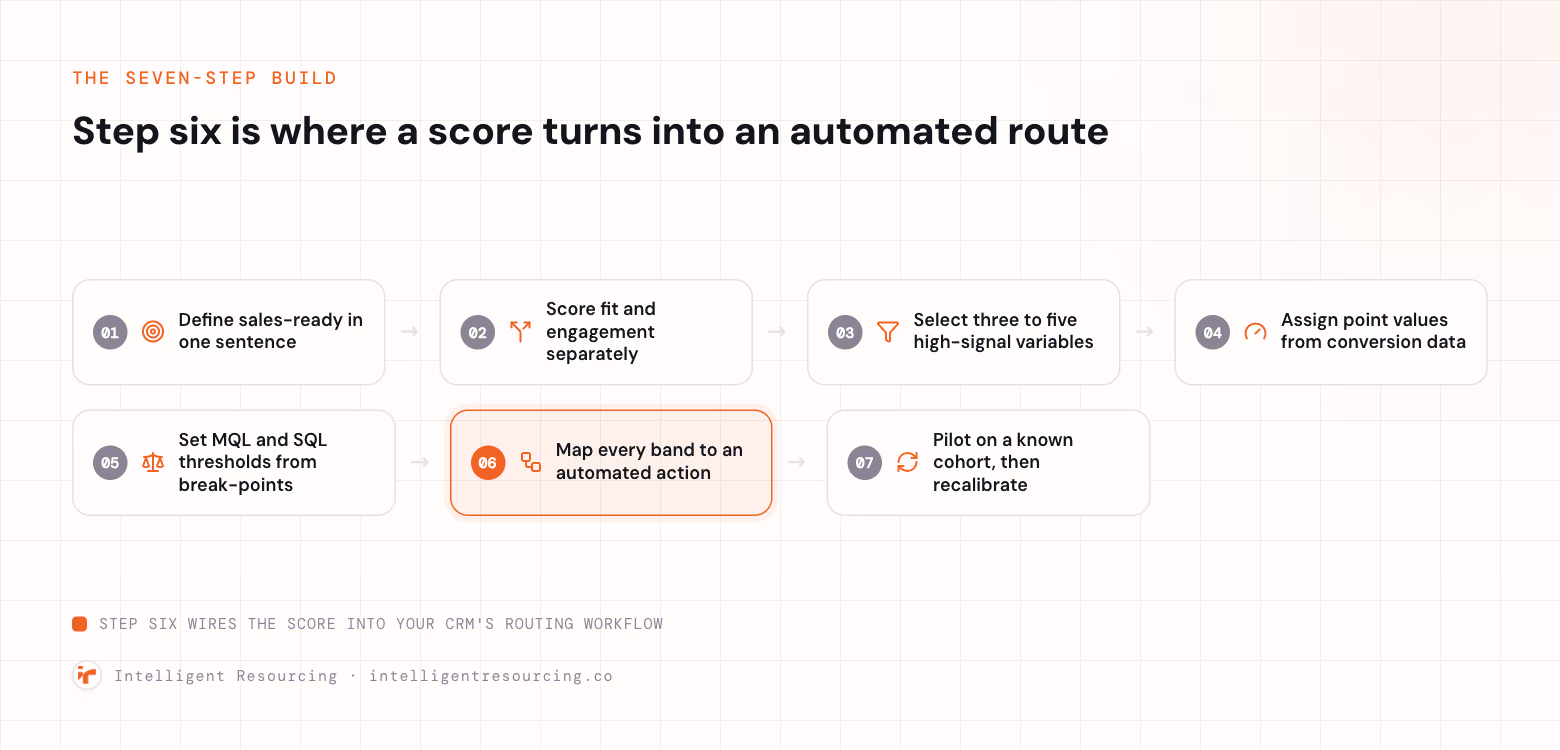
- Define sales-ready in one sentence: Name the ICP account, buying authority, and recent high-intent behaviour. One sentence forces agreement between teams.
- Score fit and engagement separately: Two-dimensional scoring separates Profile Fit from Engagement, by Portage Labs' framework. A blended number hides why a lead ranks.
- Select three to five high-signal variables: Choose variables that historically predict closed-won. More variables add noise, not accuracy.
- Assign point values anchored to conversion data: Anchor weights to correlation, not intuition. Add negative signals from day one.
- Set MQL and SQL thresholds from break-points: Pull six months of closed-won. Set the threshold where conversion jumps, not by committee.
- Map every band to an automated action: A RevOps manager builds this in Salesforce or HubSpot. A Flow or webhook fires on a threshold cross.
- Pilot on a known cohort, then recalibrate: Validate against 100 to 200 closed leads first. Recalibrate every quarter against fresh closed-won data.
When enrichment, scoring and routing depend on several data sources, a well-designed Clay workflow can standardise the inputs before they reach Salesforce or HubSpot. This helps ensure that firmographic fields, intent signals and contact data are validated consistently before they influence the score or trigger a sales action.
Predictive vs Traditional Lead Scoring
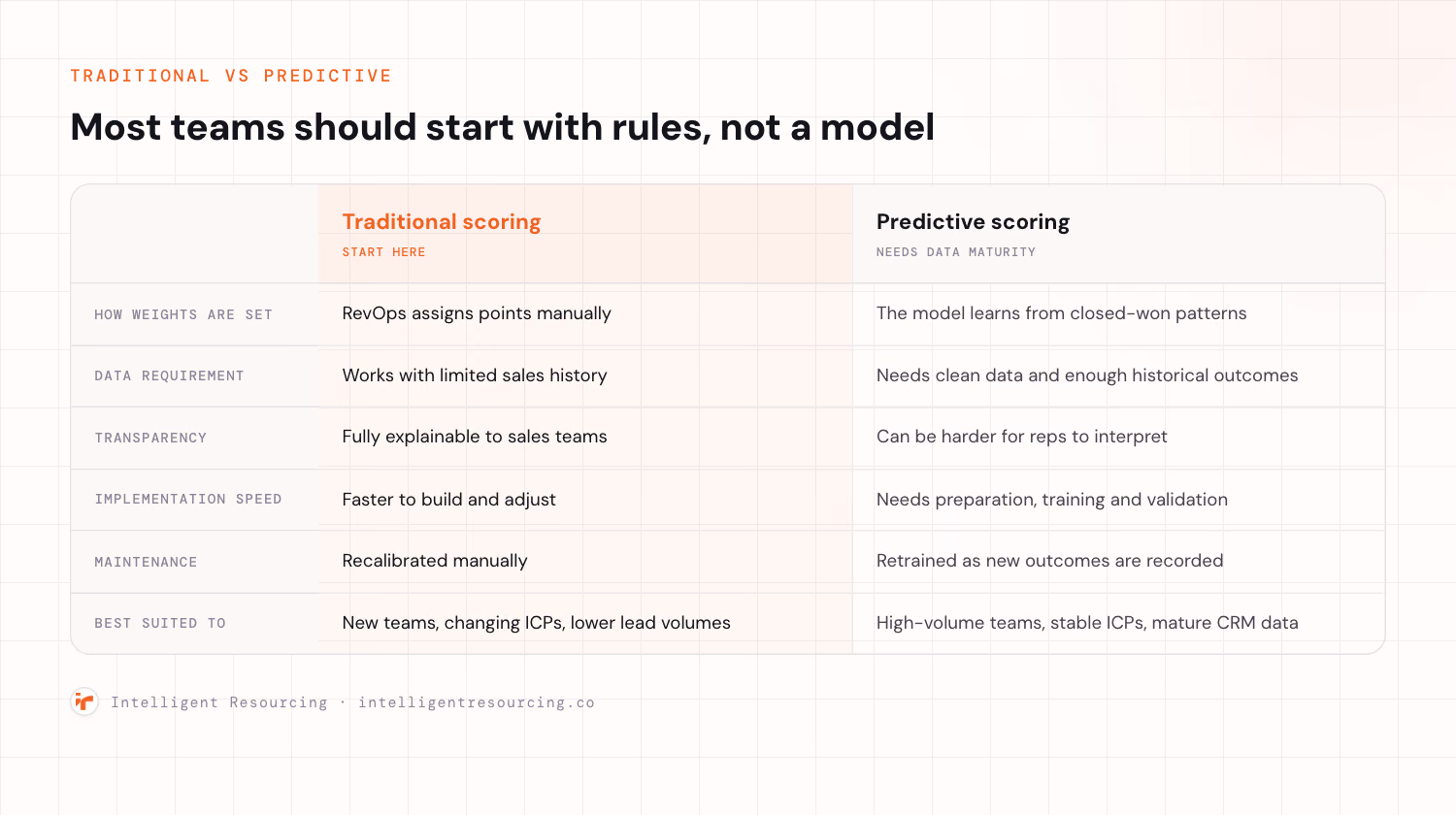
Traditional lead scoring is usually the better choice for newer teams with limited sales history, while predictive scoring works best for businesses with high lead volumes, stable qualification criteria and reliable closed-won data. The right model depends less on the technology itself and more on whether the CRM contains enough consistent evidence to train it accurately.
Traditional scoring uses rules and point values set manually by RevOps, which makes the model quick to build and easy for salespeople to understand. A representative can see exactly why a lead received a high score, although the weighting may reflect internal assumptions until the team has enough conversion data to validate it.
Predictive scoring uses machine learning to identify patterns across historical opportunities and assign weights based on the signals most closely associated with conversion. Platforms such as Salesforce Einstein can support this approach, but the output is only as reliable as the CRM data and closed-won history used to train the model.
A practical rule is to begin with rules-based scoring when the business has fewer than roughly 100 closed deals, less than six months of reliable history or an ideal customer profile that is still changing. Predictive scoring becomes more useful once the organisation has enough clean data to recognise repeatable buying patterns, because a model trained on an unstable ICP can automate the wrong assumptions with greater confidence.
| Factor | Traditional scoring | Predictive scoring |
|---|---|---|
| How weights are set | RevOps assigns points manually | The model learns from closed-won patterns |
| Data requirement | Works with limited sales history | Requires clean data and sufficient historical outcomes |
| Transparency | Fully explainable to sales teams | May be harder for representatives to interpret |
| Implementation speed | Faster to build and adjust | Requires preparation, training and validation |
| Maintenance | Recalibrated manually | Retrained as new outcomes are recorded |
| Best suited to | New teams, changing ICPs and lower lead volumes | High-volume teams with stable ICPs and mature CRM data |
How Do You Connect Lead Scores to Revenue Routing in Salesforce and HubSpot?
Connect lead scores to revenue routing by using the qualification threshold as an automated workflow trigger. When a contact reaches the required score, Salesforce Flow or a HubSpot workflow should assign the lead according to account ownership, territory, expertise and availability, then create a follow-up task with a defined response deadline.
Set the Routing Order First
Routing rules should follow a fixed hierarchy so that ownership remains clear and two representatives do not approach the same account.
- Check existing account ownership so that leads from known accounts return to the representative already managing the relationship.
- Apply territory rules based on geography, market segment or business unit when no account owner exists.
- Match specialist expertise when the opportunity requires knowledge of a particular product, sector or use case.
- Use round-robin assignment as the final fallback to distribute unowned leads evenly across the available team.
Choose the Right Routing Method
| Routing method | How it works | Best suited to |
|---|---|---|
| Account-based | Sends the lead to the existing account owner | Named-account and ABM programmes |
| Territory-based | Assigns leads by geography, company size or market segment | Regional or segmented sales teams |
| Skill-based | Matches the lead with a representative who has relevant expertise | Complex products and specialist markets |
| Round-robin | Distributes leads evenly across available representatives | High-volume inbound teams |
Route by Score and Account Value
Lead score should not be the only factor in the assignment decision, because a highly engaged contact from a low-value account may require a different response from a senior decision-maker at a strategic target company. Combining the engagement score with an account grade allows high-score, high-value opportunities to reach senior representatives quickly, while lower-priority contacts can be routed to SDRs or placed into an appropriate nurture sequence.
Each tier should also have a clear speed-to-lead agreement. High-value opportunities may require a response within minutes, while lower-scoring contacts can follow a less urgent workflow without consuming senior sales capacity.
NC Squared's Tebra case study reported a 95% reduction in lead assignment errors, a 40% improvement in response speed and a 30% increase in conversion rates, while its 360Learning case study found 97% routing accuracy, response times below ten minutes and a 40% conversion lift.
Protect the Workflow From Bad Data
Native Salesforce and HubSpot routing can support straightforward rules, but complex account-based models may require a dedicated routing layer such as LeanData or Distribution Engine. Whatever technology is used, required fields must be validated before the workflow runs, because missing company names, territories or account identifiers can break the assignment logic and send good opportunities to the wrong queue.
This is where GTM engineering becomes essential, as the work involves more than creating a lead score. The scoring model, CRM fields, ownership hierarchy, routing workflows and response agreements must operate as one connected system before prioritised leads can become a reliable pipeline.
What Are the Common Challenges in Automated Lead Scoring Implementation?
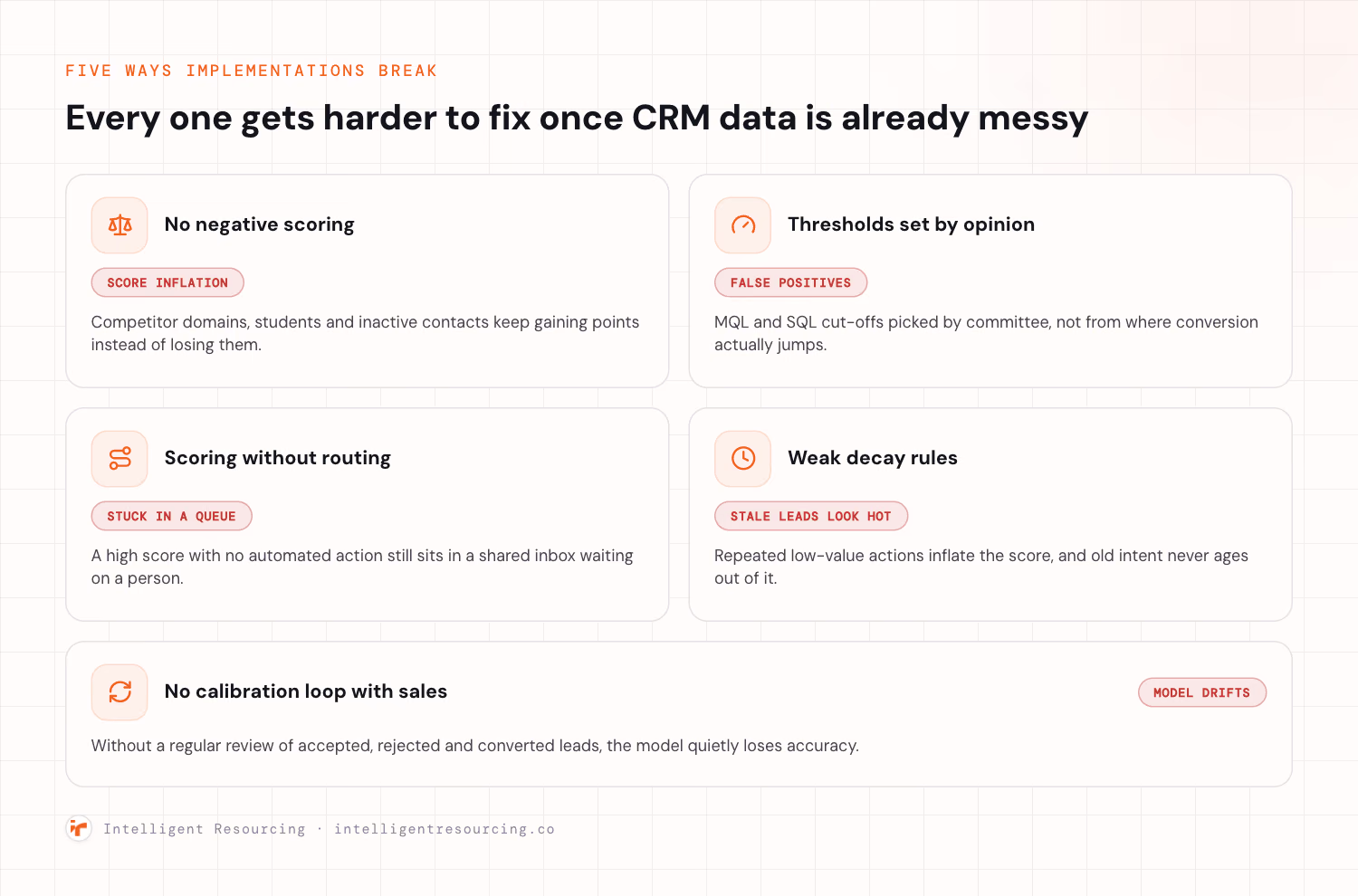
Most automated lead scoring implementations fail for five predictable reasons, all of which become harder to fix when the underlying CRM data is incomplete, inconsistent or outdated.
No negative scoring from the outset: Poor-fit contacts can accumulate enough positive points to appear sales-ready, so competitor domains, job seekers, students and inactive leads should lose points or be suppressed automatically.
Thresholds based on opinion: Arbitrary MQL and SQL thresholds often produce too many false positives, which is why scoring break-points should be based on historical conversion and closed-won data.
Scoring without automated routing: A high score creates no value if the lead remains in a shared queue, so every score band should trigger a defined action, owner and response deadline.
Score inflation and weak decay rules: Repeated low-value actions can make inactive leads appear highly engaged, so teams should cap repeat behaviours and reduce behavioural scores as intent becomes older.
No calibration loop with Sales: Scoring models gradually lose accuracy when sales feedback is ignored, which makes a regular review of accepted, rejected and converted leads essential.
Clean data remains the foundation beneath all five areas. Openprise reported that a security company doubled its inquiry-to-opportunity conversion rate after rebuilding its scoring model on more reliable data, although this should be treated as a vendor-published customer outcome rather than a universal benchmark.
Lead scoring should also be measured against commercial outcomes rather than activity alone. A shared set of B2B marketing KPIs and metrics can connect score accuracy, MQL acceptance, speed to lead, pipeline contribution and closed-won revenue, giving Marketing, Sales and RevOps one view of whether the model is improving performance.
Turn Lead Scores Into Sales Action
Lead scoring only creates value when it is connected directly to routing, supported by reliable data and recalibrated against closed-won outcomes. A two-dimensional model that scores fit and engagement separately keeps the logic clear, which makes it easier for sales teams to understand, trust and act on.
Our GTM engineering service designs and builds the full scoring-to-routing system, using your closed-won data to shape the model, connecting thresholds to automated routes in Salesforce or HubSpot, and improving the field hygiene that keeps the process accurate over time.
Talk to Intelligent Resourcing about building a lead scoring and revenue routing system your sales team can trust. Book a call to map your implementation.
Lead Generation
Our GTM engineering team designs and runs the scoring-to-routing system, using your closed-won data to set the weights, wiring thresholds into your CRM and keeping the field hygiene that holds it together.
FAQs
How Do You Validate a Lead Scoring Model Before Going Live?
Run a retrospective validation first. Take 100 to 200 already-closed leads. Apply the proposed scoring logic to them. Confirm high scores match real conversions. Then have Sales rate a sample independently. Reconcile any misalignment before launch. Never ship a model on intuition alone. Historical proof comes before go-live.
What Is the Difference Between MQL and SQL Thresholds?
The MQL threshold is a Marketing handoff point. At that score, Marketing passes the lead to Sales. The first automated action fires there. The SQL threshold is higher. Sales accepts the lead as worth active pursuit. That usually means score plus confirmed criteria. ZoomInfo's guide ties qualification to a score threshold.
What Is Score Decay and Why Does It Matter?
Score decay reduces points for inactivity. Old intent should not keep a lead hot. Without decay, a stale lead stays misclassified. Reps waste time on cold contacts. Common patterns halve behavioural points after 30 days. Others apply a monthly percentage reduction. Decay keeps the score honest about current intent.
How Many Signals Should a First Model Start With?
Start with three to five high-signal variables. Choose variables that historically predict closed-won. Add negative scoring from day one. Keep the first model deliberately simple. Prove it separates winners from losers. Only then layer in more complexity. A simple working model beats a confusing complex one.
How Do You Route Leads by Both Score and Account Value?
Combine the lead score with account value. Use an account grade or deal-size field. Set routing rules on both dimensions. High-score, high-value leads route to senior reps. Put a tight SLA on that tier. Lower tiers route to SDRs or nurture. Value plus score sends the best leads to senior reps.