

What does each tool in the stack actually do?
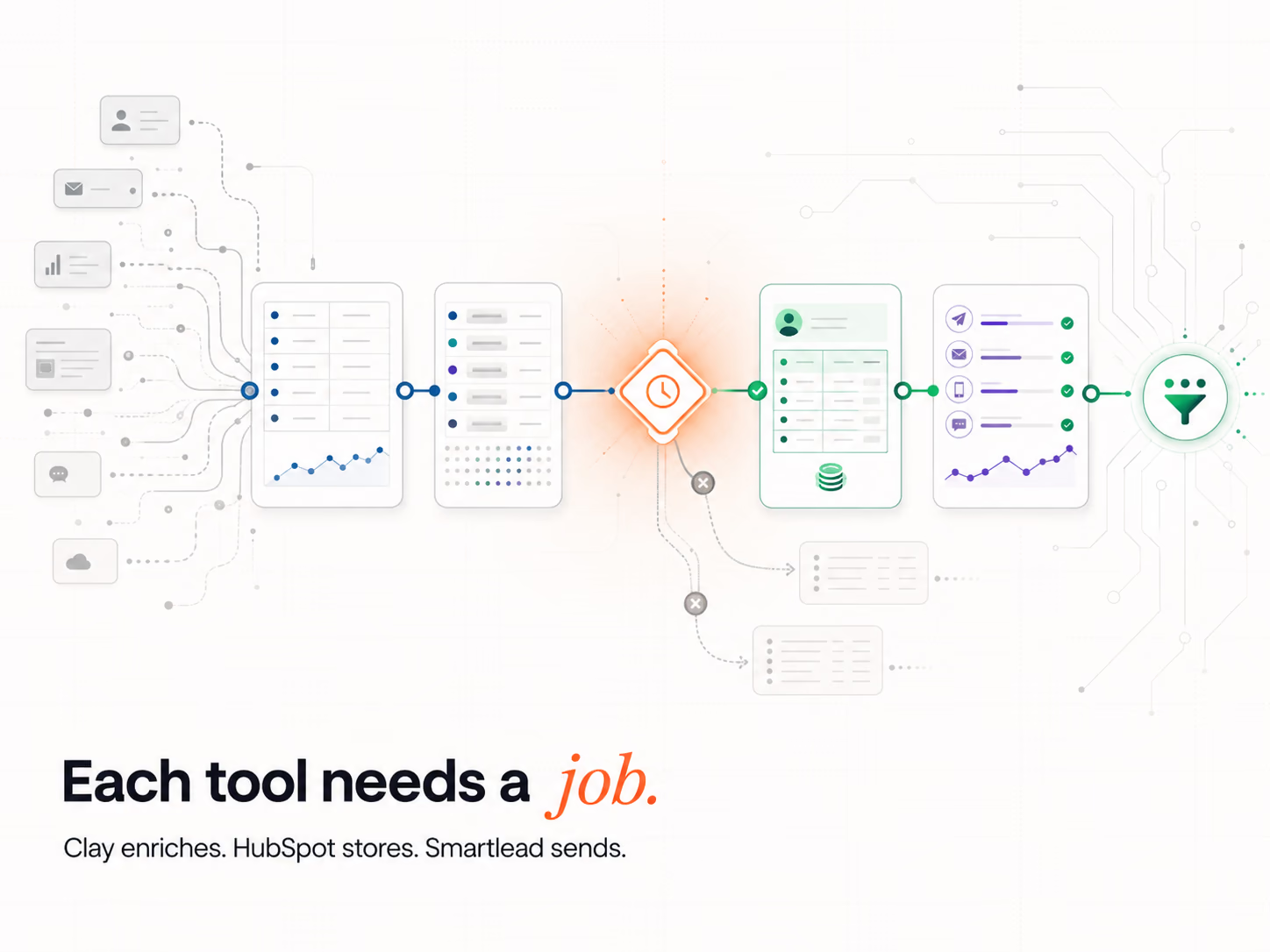
Each tool owns 1 layer, and mixing layers is the top mistake teams make. Clay is the data layer, where you add and check data. HubSpot is the system of record: the customer relationship management (CRM) tool for leads, deals and reports. Smartlead is the sending layer, and a link layer such as Clay or n8n moves data between them.
| Stack layer | Tool that owns it | What AI does there | Common mistake |
|---|---|---|---|
| Data and signals | Clay | Claygent researches each account and fills gaps | Expecting Smartlead to add data (it does not) |
| System of record | HubSpot | Agents keep records clean and suggest next steps | Using HubSpot as the main data source |
| Cold email sending | Smartlead | AI sorts replies by intent | Sending cold email from HubSpot |
| Links and routing | Clay Workflows or n8n | Runs the rules that pass a lead to the next step | Linking tools one to one with no rules |
Why not send cold email from HubSpot? Google's sender rules, in force since February 2024, ask anyone who sends 5,000 or more emails a day to Gmail to keep their spam rate below 0.30%. One bad cold list can push your main domain over that line, so cold email belongs on separate domains in Smartlead.
Why does integrating AI into the stack matter in 2026?
Artificial intelligence (AI) is now normal, so having it gives you no edge, and the edge comes from how you link it. A stack where Clay, HubSpot and Smartlead pass data to each other turns AI into one motion. A stack where each tool runs its own AI just spreads guesses across 3 places, with no one rule in charge.
Stanford's 2026 AI Index reports that AI use in organisations reached 88%. So your rivals use AI too.
What they often lack is the link work: rules that pass a lead from Clay to HubSpot to Smartlead with no one copying data by hand. That link work is the core of marketing automation services.
How does Clay handle AI-powered CRM enrichment?
Clay adds data before anything reaches HubSpot. It tries many data providers in turn, one after another, until it finds a match. Claygent, its AI research agent, reads the web to answer set questions about each account. AI does the reading, while a person writes the questions and checks a sample of the answers.
Clay now also runs the links. In August 2026, Clay said its Workflows tool was in open beta for all customers on all plans. A trigger starts each workflow, and each record moves through it 1 at a time. Clay says a Claygent step can add judgement to the flow, for research or for sorting.
Here is what that looks like in practice:
- The trigger: a target account posts a new head of sales role.
- The AI step: Claygent checks the account against your ideal customer profile.
- The rule: only accounts that pass move on to HubSpot.
The step-by-step build sits in our guide to Clay and HubSpot integration.
How does AI scoring and routing work across the stack?
AI scoring rates each lead on live signals, such as site visits, email replies and job changes, then sends the best leads to a rep at once. Speed is the whole point, because most firms reply far too slowly. A Signal Response Protocol fires the moment a Verified Buying Window™ opens, with no wait for a manual review.
In September 2026, Clay asked 6,346 companies for a demo, and 2 in 3 never replied. The average reply took 15 to 24 hours, and only 5% of replies came within 5 minutes. A rule that routes a hot lead in seconds beats most of the market.
Scoring only works if the data under it is clean. Our guide to lead scoring covers how to set the points.
Where should AI act, and where should a person check?
Let AI do the work that needs speed and scale: research, sorting replies and first drafts. Keep people on the work that sets risk: the brand voice, the send rules and what counts as a good lead. Set voice rules in Clay, where the message is built, because that costs less than fixing tone after a send.
Privacy is one more reason to keep a person in the loop. Australia's privacy regulator, the Office of the Australian Information Commissioner (OAIC), said in its 2024 AI product guidance that privacy duties apply to any personal information put into an AI system. It also tells firms to set up human oversight of AI outputs.
| Job | Let AI do it | Keep a person on it |
|---|---|---|
| Account research | Yes, Claygent reads and sums up | Check a sample each week |
| First-draft email lines | Yes, from set facts | Set the voice and approve the template |
| Sorting replies | Yes, Smartlead sorts by intent | Handle every "interested" reply |
| Who counts as a good lead | No | Yes, a person sets the rules |
We hold our own AI to the same rule. We audited our own knowledge base with 22 AI agents in about 20 minutes. Every finding was re-checked by an independent adversarial agent, and six of our own scores were corrected on evidence.
How does Smartlead handle sending and deliverability?
Smartlead is the sending layer. It warms up new inboxes, rotates sends across many inboxes and tracks replies, but it does not add data and it is not a CRM. Once Clay has checked the records and HubSpot holds them, Smartlead sends the email and guards your sender name.
Smartlead's unified master inbox pulls replies from every sending account into 1 place, per its October 2026 guide. The same guide says the inbox sorts each reply by lead intent. It also lists links to HubSpot, Salesforce, Pipedrive and Clay, which is how a reply gets back to your CRM fast.
The full handoff is in our Clay to Smartlead guide.
How does HubSpot tie the stack together?
HubSpot is the system of record. Clay writes clean records in, Smartlead sends reply activity back, and HubSpot holds the one true copy of each lead, deal and report. Its job here is lifecycle stages and reports. It should not be your main data tool, and it should not send cold email.
HubSpot now has AI agents of its own. Its Agent Hub help page, updated in October 2026, lists a Data agent and a Prospecting agent, among others:
- Data agent: keeps CRM data full and clean.
- Prospecting agent: researches target firms and drafts outreach.
- Plan needed: some HubSpot-built agents need a Professional or Enterprise plan.
Do not let 2 tools write the same field, so pick 1 owner for each: Clay for firm data, HubSpot for stage and owner. At Intelligent Resourcing, every record we write to your CRM is read back and confirmed. We never trust a success message, and we never overwrite a lead your team already owns.
What order should you build the stack in?
Build from the bottom up, because each layer needs the one below it. Start with clean data in HubSpot, then add Clay to fill the gaps. Set up sending in Smartlead, and add scoring and routing after that. Add AI agents last, once the data they act on is clean.
- Clean the CRM. Pick 1 owner for each field and remove duplicates.
- Add Clay. Fill gaps, and check each account against HubSpot before you add it.
- Set up Smartlead. Use separate domains, warm them up and connect replies to HubSpot.
- Add scoring and routing. Send hot leads to a rep in minutes, not days.
- Add agents last. Agents act on your data, so bad data makes bad actions.
Agents also cost more to run. As of October 2026, HubSpot's Breeze agents page says custom agents use HubSpot Credits each time they run, while plain workflows do not. So use a plain rule where a rule will do, and save agents for work that needs judgement.
If you want help to plan the build, talk to our team.
RevOps Tools
Clay enriches, HubSpot stores, Smartlead sends. The pipeline comes from connecting them. The Revenue Operations Studio at Intelligent Resourcing assigns each tool its correct layer, adds the orchestration that fires Signal Response Protocols, and keeps the data clean with an Evergreen CRM.
FAQs
Does Smartlead enrich CRM data?
No. Smartlead sends cold email and guards your sender name. It runs inboxes, warm-up and reply tracking. Adding data is Clay's job, so buy each tool for its own layer.
Should AI personalisation live in Clay or in HubSpot?
Build it in Clay, where each message is put together from checked facts. HubSpot's agents can draft outreach too, but some need a Professional or Enterprise plan. Pick 1 place to write copy, so 2 tools do not send mixed messages.
How do Smartlead replies get back into HubSpot?
Smartlead links to HubSpot, so replies and their intent tags can flow back to the contact record. Set 1 rule for what each reply type does, such as "interested" goes to a rep. Then your reps see every reply in 1 place.
How do you stop duplicate contacts across the 3 tools?
Pick 1 key for each record, such as email for people and web domain for firms. Check each new record against HubSpot before Clay pushes it in. Never let 2 tools own the same field.
Do I need a separate tool to link the stack?
For anything past a basic setup, yes. A signal only turns into pipeline when something passes it from tool to tool. Clay Workflows or n8n can do that job, with set rules and no hand copying.
Is a stack of separate tools better than an all-in-one platform?
It depends on your team. Separate tools give you deeper data and better cold email sending, but they take work to link. A team with no one to run operations will do better with 1 platform at first.