

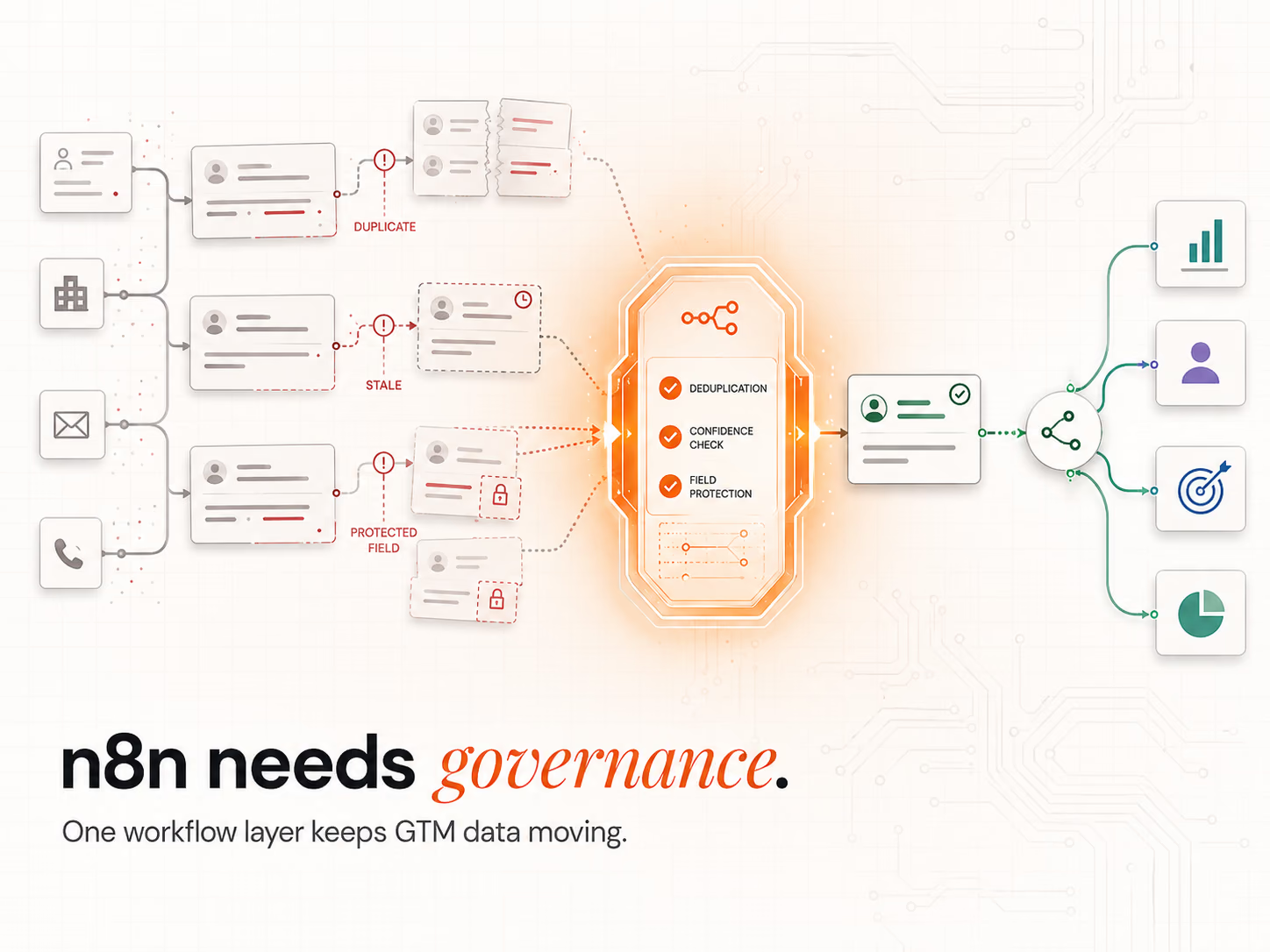
What do companies use n8n for in sales and marketing?
Companies use n8n to run the jobs that sit between their tools. The 5 most common are lead routing, record enrichment, audience syncs, failure alerts and reporting feeds. Each job starts with a trigger, runs a set of steps and writes the result back to the customer relationship management (CRM) system, the email tool or a dashboard.
Here is how those jobs map across a typical stack:
| Use case | What starts it | What n8n does | Where the result lands |
|---|---|---|---|
| Lead routing | A form fill or a new CRM contact | Scores fit and intent, then picks an owner | The CRM, plus a Slack alert to the rep |
| Enrichment | A record with empty fields | Calls a data provider, with a backup provider | The CRM record |
| Audience sync | A daily or weekly schedule | Pulls a segment and applies tags | The email tool and ad platforms |
| Failure alerts | A workflow that fails | Sends the error and the failed step | Slack, Teams or email |
| Reporting | Each new event | Cleans field names and formats | A sheet or database behind your dashboard |
The trigger is often the CRM itself. As of October 2026, the HubSpot Trigger node docs list events such as a contact created, a deal created and a property changed.
There is a catch. The same October 2026 page warns that HubSpot allows only 1 webhook at a time, so a second HubSpot trigger stops the first. A webhook is a message one app sends to another the moment something happens. Plan 1 HubSpot trigger and fan out from there.
If you want this built for your team, see our marketing automation work.
When should you use n8n instead of Zapier or Make?
Use n8n when your flows have many steps, branches and retries, or when you want to self-host. Use Zapier or Make when the flows are short and nobody on the team can own a build. The biggest gap is how each tool bills: n8n counts whole runs, Zapier counts tasks and Make counts credits.
As of October 2026, the n8n pricing page says "Pricing is based on monthly workflow executions, regardless of complexity." An execution is 1 full run of a workflow. Here is what that buys in October 2026, on annual billing:
- Starter: €20 a month for 2,500 runs on n8n Cloud.
- Pro: €50 a month for 10,000 runs on n8n Cloud.
- Business: €667 a month for 40,000 runs, self-hosted, with single sign-on and queue mode.
- Community edition: free to self-host on your own server.
Zapier works another way. As of October 2026, Zapier's pricing page says "A task is counted whenever Zapier successfully completes a unit of work for you." In October 2026, its Pro plan starts at $19.99 a month on annual billing for 750 tasks.
Triggers and its built-in filter tools do not count as tasks. Make bills in credits, and in October 2026 most Make actions use 1 credit each.
So a flow with 10 steps that runs 1,000 times is 1,000 runs on n8n. On a per-task tool, each step that does work counts. That is why n8n gets cheaper as flows get longer. Zapier still wins on setup speed and, as of October 2026, a library of over 9,000 apps, which matters when no one on your team writes code.
Why does operational consistency make or break go-to-market teams?
Consistency decides whether your go-to-market (GTM) stack makes pipeline or mess. Every broken sync, double record or missed handoff can cost a deal. When the same rule runs the same way every time, reps trust the data and act on it. When it does not, they check each record by hand.
The trust gap is wide. In an October 2025 BCG survey of sellers, "more than four out of five sellers cite inaccuracy and poor data integration as obstacles." BCG surveyed 400 US sales reps and managers for the report. The 2025 report also found roughly 7 in 10 sellers rely on general-purpose AI tools, mostly for small tasks.
Inconsistent data turns into lost hours. In our work, one signed engagement is built to cut the time reps lose to research and validation from 50 to 60% of the week to under 15%. n8n helps because it applies each rule the same way on every record, so reps stop redoing the work.
Why does data break or duplicate across CRMs, ad platforms and email tools?
Data breaks for 2 reasons. First, rate limits and outages stop a sync halfway. A rate limit caps how many requests an app takes in a set time. Second, each tool keeps its own copy of a contact with its own field names, so the copies drift apart and duplicates follow.
The cost shows up in revenue. In a July 2026 survey of 500 marketers who sell to businesses and to consumers, Validity found that "Sixty-two percent said poor CRM data probably or definitely cost their organizations revenue," MarTech reported in August 2026. The respondents were in the US, the UK, Brazil, Australia and New Zealand.
Tool sprawl keeps adding new copies. Zylo's 2026 SaaS Management Index found that large enterprises "add an average of 21 applications per month." Each new app is 1 more place for a record to go stale.
n8n fixes this by holding the sync logic in 1 place:
- 1 set of rules. Every tool reads from and writes to n8n, so a contact arrives the same way each time.
- Retries on failure. A failed call tries again instead of leaving a half-written record.
- Facts kept apart from claims. We separate what we can verify externally from what a client tells us. The two are never blended, and any conflict stays flagged until the evidence resolves it.
How does n8n improve routing accuracy and lead speed?
n8n improves routing because it acts on the event, not on an hourly batch. A webhook or a CRM trigger fires the moment a form comes in. A branch step then checks fit and intent, and the lead goes to an account executive (AE), a sales development rep (SDR) or a nurture list with no one touching it.
The branch step is the If node or the Switch node. As of October 2026, the Switch node docs describe it as "similar to the IF node, but supports multiple output routes." Use If for a yes or no split. Use Switch when 1 lead can go 3 or more ways.
- Event-based start: webhooks fire on form fills, demo requests and CRM changes as they happen.
- Branch routing: high fit plus high intent goes straight to an AE. Lower scores go to an SDR or to nurture.
- Alert on handoff: the owner gets a Slack message with the lead's score and source.
Wired to a Signal Response Protocol, real-time lead scoring decides the owner the moment a Verified Buying Window™ opens.
What is the best structure for a qualification flow that prioritises fit and intent?
The best qualification flow scores fit and intent on separate branches, then joins them to pick an owner. Fit covers industry, size and tech stack. Intent covers page visits, email clicks and demo requests. Territory and segment rules live in a lookup table the workflow reads, so the right rep gets the lead by rule, not by guesswork.
n8n now has a place for those rules. As of October 2026, n8n's data tables guide says you can store "lookup tables as quick reference points within workflows" without an outside database. In October 2026, all data tables in 1 instance share a default 200 MiB cap, just over 200 megabytes. That is plenty for territory and segment rules.
- Score fit and intent on separate branches, then join them for the routing choice.
- Keep territory, size and segment rules in a data table the workflow reads.
- Assign the owner on the spot, so the Verified Buying Window™ is acted on, not left in a queue.
How are companies enriching incomplete records with n8n and third-party APIs?
Companies fill gaps by calling data providers through their application programming interface (API), the door one app opens for another. When a record is missing company size or industry, n8n calls a first provider. If that call fails or comes back empty, it tries a second provider or your data warehouse. Then it writes the clean result to the CRM.
The step that makes the call is the HTTP Request node. As of October 2026, the HTTP Request node docs say it lets you "query data from any app or service with a REST API." Its batching option sets how many records go out at once and how long to wait between batches. That keeps you under each provider's rate limit.
- Check first: only call a provider when a field is empty, so you do not pay twice.
- Fall back: route a failed or empty call to a second source.
- Dedupe before writing: match on email or domain, so the CRM gets 1 clean record.
If Clay is your enrichment tool, the webhook and API setup between Clay and n8n is its own job. Our Clay and n8n API guide covers it step by step.
What error-handling prevents silent workflow failures?
The main safeguard is an error workflow that starts with n8n's Error Trigger node. When a linked workflow fails, the trigger collects the failure details and runs the error workflow. That workflow sends an alert to Slack, Teams or email, so a failure shows up in minutes instead of at the next manual check.
As of October 2026, the Error Trigger node docs say the node "gets details about the failed workflow and the errors." You link it in each workflow under Settings, then Error workflow. One warning from the same page: "You can't test error workflows when running workflows manually." Test it with a scheduled run that fails on purpose.
- Alert with context: send the workflow name, the failed step and the error text.
- Add a heartbeat: a small scheduled workflow checks that key flows ran today.
- Watch memory too: big data sets can crash a run outright. Our n8n memory limits guide covers that fix.
How does n8n manage audience refresh and segmentation across multiple tools?
n8n refreshes audiences with a scheduled workflow that rebuilds each segment from 1 source of truth. The workflow pulls the current segment from HubSpot or Salesforce, applies tag and field rules, then pushes the result to the email tool and ad platforms. The same audience rule then holds in every tool, with no manual list upkeep.
The schedule comes from the Schedule Trigger node. As of October 2026, the Schedule Trigger docs say it runs "workflows at fixed intervals and times." The workflow must be saved and published before the schedule starts.
Check what each app node can do before you plan the sync. The Mailchimp node can add and remove member tags, which suits email segments. The LinkedIn node only creates posts, as of October 2026. To update a LinkedIn ad audience, call LinkedIn's API through the HTTP Request node, which can reuse your saved LinkedIn credential.
What is the simplest way to standardise naming conventions and fields for reporting?
The simplest way is to clean fields while they move, before they land in any tool. Use the Edit Fields (Set) node for simple renames and the Code node for anything harder. Every record then reaches your dashboard in 1 format, so you fix naming once at the source instead of patching each report.
As of October 2026, n8n's Code node guide says it runs "custom JavaScript or Python" as a step in your workflow. Native Python is stable in n8n 2. The older Pyodide Python was removed in n8n 2.0, so check any old Python steps before you upgrade.
- Trim spaces and fix letter case in names and emails.
- Force 1 date format, such as year, month, day.
- Standardise UTM tags, the tracking codes on your links, and campaign names.
How do teams manage security and permissions while staying flexible?
Teams keep n8n safe with roles, saved credentials and a clear licence. Roles set who can edit which workflows, and saved credentials keep API keys out of the steps, where anyone can read them. A rotation schedule then retires old keys before they leak. Revenue teams can build more flows without opening up raw secrets.
As of October 2026, n8n's role-based access docs say access works "at two levels": roles for the whole instance and roles inside each project. Custom roles are on the Enterprise plans only.
Check the licence too. n8n's Sustainable Use License lets you use the software "only for your own internal business purposes or for non-commercial or personal use." Running your own sales and marketing flows fits. Selling n8n to others as a hosted service needs a separate deal with n8n.
What is the difference between sandbox and production environments in n8n?
A sandbox is where you test with safe data. Production is where live workflows run against real systems. The 2 should never mix, because a test run can change or delete live CRM records. Teams keep them apart, track every change, review it and roll back if a release goes wrong.
As of October 2026, n8n's source control docs say "n8n uses Git-based source control to support environments." Git is a tool that saves each version of your work. This feature is on the Business and Enterprise plans.
The free edition leaves it out. n8n's edition comparison lists environments, projects, single sign-on and Git version control as features the Community edition does not include. On the free edition, run a second instance with test data, and export each workflow before you change it.
How can n8n push real-time data to dashboards without manual exports?
n8n sends metrics to dashboards as events happen, so nobody exports a spreadsheet file by hand again. A workflow writes each new lead, deal or campaign result to a sheet or a database. Your business intelligence (BI) tool, such as Metabase or Looker Studio, reads from there. The dashboard shows today's pipeline, not last week's export.
For small teams, a sheet is often enough. As of October 2026, n8n's Google Sheets node has an "Append or Update Row" action. It adds a new row, or updates the row if it already exists. That stops the same deal from showing up twice in your report.
- Write on the event: send the row when the deal stage changes, not at month end.
- Use 1 key per row: a deal ID or an email, so updates replace old rows.
- Move to a database at scale: once a sheet slows down, point the same workflow at Postgres.
How do you scale orchestration without losing control?
You scale n8n with queue mode. In queue mode, 1 main instance takes in the work and separate worker instances run it. You add workers as volume grows, and you batch API calls to stay inside rate limits. The same rules then hold at 100 runs a day or 100,000.
As of October 2026, n8n's queue mode docs say "Workers are n8n instances that do the actual work" and "The queue mode provides the best scalability." Queue mode is in the free Community edition. Multi-main mode, which runs more than 1 main instance, is not.
Scaling is also a people question. Someone has to own the workers, the updates and the alerts. If you want a team to build and run that layer with you, talk to our team.
RevOps Tools
Point-to-point integrations break as you grow. The Revenue Operations Studio at Intelligent Resourcing makes n8n the governed orchestration layer for your GTM stack: routing wired to Signal Response Protocols, enrichment feeding an Evergreen CRM, and error handling that catches failures before they cost pipeline.
FAQs
Is n8n completely free?
The self-hosted Community edition is free under n8n's Sustainable Use License, for your own internal business use. You pay for your own server and upkeep. n8n Cloud and the self-hosted Business and Enterprise plans are paid. As of October 2026, n8n Cloud starts at €20 a month on annual billing.
Is n8n outdated now?
No. n8n released version 2.45 on 20 October 2026, a week after version 2.44. n8n 3.0 is on the way. As of October 2026, n8n says 3.0 will need Docker for self-hosted installs, so plan that move early.
What are the downsides of using n8n?
Self-hosting means you own the updates, backups and security. Some app nodes cover only a few actions, so you fall back to raw API calls. Key team features, such as Git environments and single sign-on, sit on paid plans. It also takes more skill to build than Zapier.
Is n8n risky?
n8n is as safe as the way you run it. Use roles, saved credentials and an error workflow, and keep a test copy apart from live data. The main risks are self-hosted servers left unpatched and API keys pasted into workflow steps.
How scalable is n8n for high-volume workflows?
n8n scales well in queue mode, where worker instances share the runs. Add workers as volume grows, batch API calls to respect rate limits and space out heavy jobs with Wait nodes. The same rules hold at hundreds or hundreds of thousands of runs.
Can n8n replace a traditional ETL tool?
For most sales and marketing jobs, yes. ETL means extract, transform and load: pulling data out, cleaning it and loading it somewhere else. n8n is not a full data warehouse ETL platform. It does cover the day-to-day moves between GTM tools, and it adds branches and real-time triggers that batch ETL tools lack.